
 WhatsApp Appointment System: Everything You Need to Know
Customers expect businesses to offer fast and convenient ways to book appointments. Long phone calls, delayed email responses, and complicated booking forms often lead to missed opportunities and poor customer experiences.
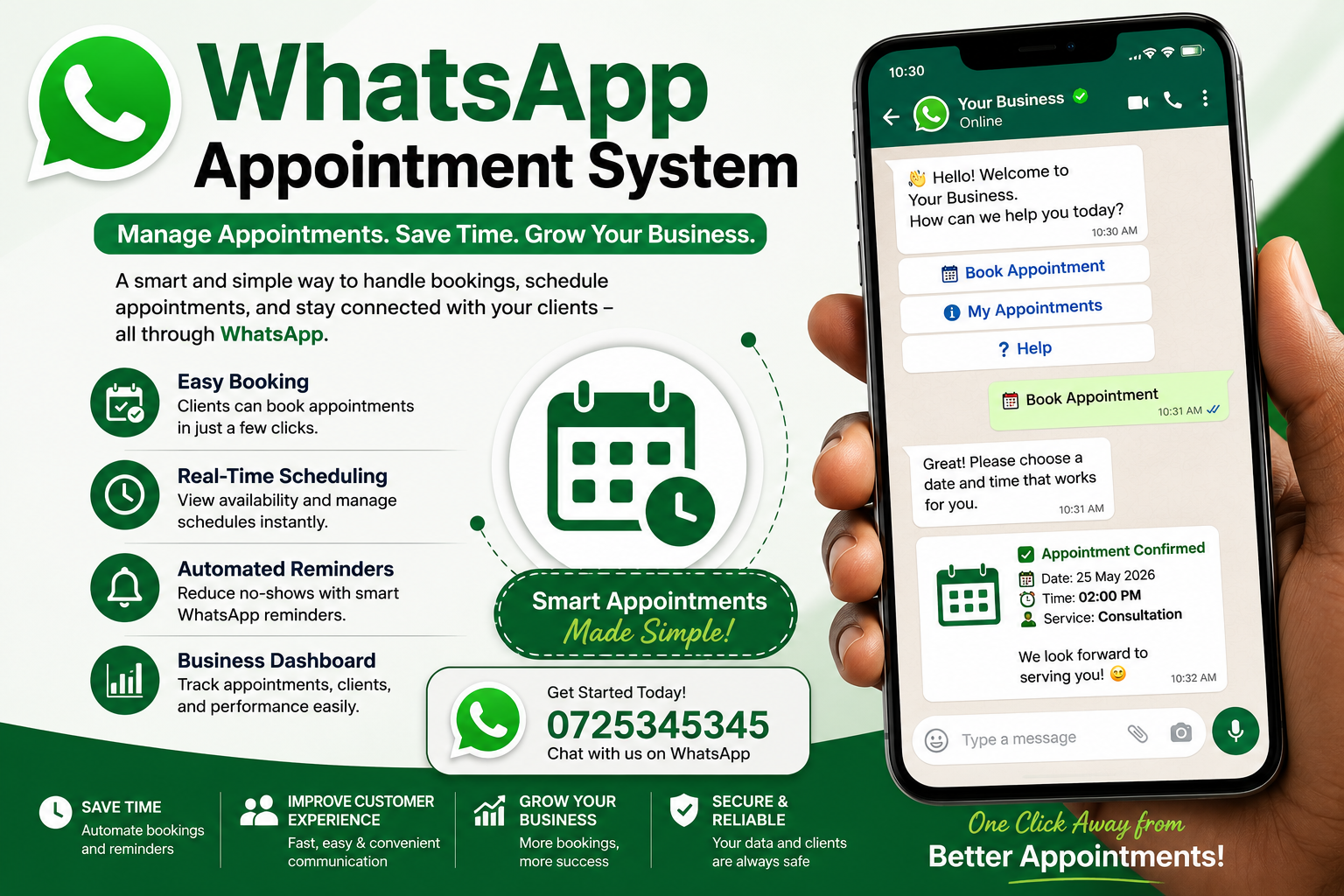
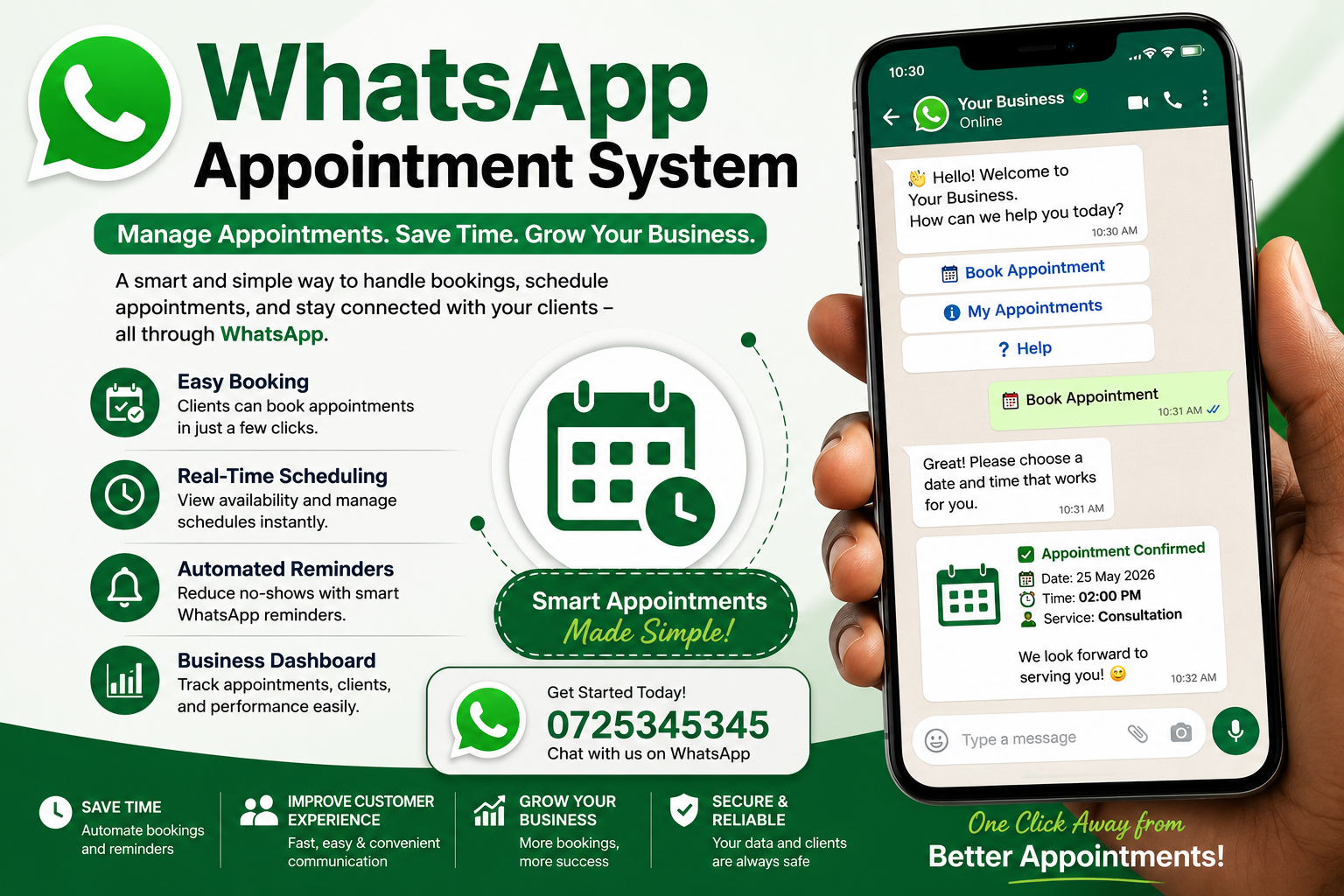
A WhatsApp Appointment System simplifies the entire booking process by allowing customers to schedule appointments directly through WhatsApp. Whether you’re running a healthcare clinic, beauty salon, consulting firm, or service-based business, WhatsApp appointment scheduling helps automate bookings, reduce administrative work, and improve customer satisfaction.
In this guide, you’ll learn how a WhatsApp Appointment System works, its benefits, key features, and why it’s becoming an essential tool for modern businesses.
What Is a WhatsApp Appointment System?
A WhatsApp Appointment System is an automated scheduling solution that allows customers to book, reschedule, or cancel appointments through WhatsApp.
Instead of calling your business or filling out lengthy online forms, customers simply send a WhatsApp message. The system automatically presents available time slots, confirms bookings, sends reminders, and even follows up after appointments.
By integrating WhatsApp with your booking software or CRM, businesses can manage appointments more efficiently while providing customers with a seamless booking experience.
How Does a WhatsApp Appointment System Work?
A typical booking process includes the following steps:
A customer sends a message to your WhatsApp Business number.
The chatbot or automation asks what service they need.
Available appointment slots are displayed.
The customer selects a preferred date and time.
The system confirms the appointment instantly.
Automated reminders are sent before the appointment.
Customers can easily reschedule or cancel if needed.
Follow-up messages can request reviews or promote future services.
This entire process can happen automatically without requiring staff intervention.
Benefits of Using a WhatsApp Appointment System
1. Simplifies Appointment Booking
Customers can schedule appointments anytime using an app they’re already familiar with. There’s no need to install another application or wait for business hours.
2. Reduces No-Shows
One of the biggest challenges for appointment-based businesses is missed appointments.
Automated WhatsApp reminders significantly reduce no-show rates by notifying customers before their scheduled visit.
3. Saves Staff Time
Receptionists and customer service teams spend countless hours answering calls and managing schedules.
Automating appointment booking allows employees to focus on delivering better customer service instead of repetitive administrative tasks.
4. Provides 24/7 Booking
Unlike phone-based booking systems, WhatsApp appointment automation works around the clock.
Customers can book appointments whenever it’s convenient for them—even outside business hours.
5. Improves Customer Experience
Fast responses and instant confirmations create a smooth booking experience.
Customers appreciate the convenience of communicating through WhatsApp instead of making phone calls.
6. Increases Business Efficiency
Automated scheduling reduces manual errors, eliminates double bookings, and keeps calendars organized.
Businesses can manage appointments more accurately while improving operational efficiency.
Essential Features of a WhatsApp Appointment System
An effective appointment scheduling solution should include:
Automated Appointment Booking
Allow customers to instantly book appointments without human assistance.
Appointment Confirmation Messages
Send immediate confirmations after every successful booking.
Automated Reminder Notifications
Reduce missed appointments with scheduled reminder messages.
Rescheduling and Cancellation
Enable customers to modify appointments without contacting support.
Calendar Integration
Synchronize appointments with Google Calendar, Outlook, or other scheduling software.
Multi-Agent Support
Allow multiple staff members to manage appointments from one WhatsApp Business account.
CRM Integration
Store customer information and appointment history for personalized service.
Analytics and Reporting
Track booking trends, cancellations, and customer engagement to improve business performance.
Businesses That Benefit from WhatsApp Appointment Scheduling
Almost any appointment-based business can benefit from WhatsApp automation.
Popular industries include:
Healthcare clinics
Hospitals
Dental practices
Beauty salons
Hair salons
Spas
Fitness centers
Personal trainers
Educational institutions
Coaching businesses
Legal consultants
Financial advisors
Real estate agencies
Automotive workshops
Home maintenance services
Why Customers Prefer Booking Through WhatsApp
WhatsApp has become one of the world’s most widely used messaging platforms.
Customers already use it daily, making appointment scheduling feel natural and convenient.
Benefits for customers include:
Faster booking
Instant responses
Easy communication
No waiting on hold
Mobile-friendly experience
Quick appointment reminders
Easy rescheduling
Best Practices for Implementing a WhatsApp Appointment System
To maximize results:
Keep conversations simple and easy to follow.
Offer multiple appointment slots.
Send reminders 24 hours before appointments.
Include cancellation and rescheduling options.
Personalize confirmation messages.
Integrate your booking system with your calendar.
Monitor booking analytics regularly.
Common Challenges and Solutions
Double Bookings
Use real-time calendar synchronization to avoid scheduling conflicts.
Missed Customer Messages
Implement chatbot automation to respond instantly, even during non-business hours.
Manual Scheduling
Automate booking workflows to eliminate repetitive tasks.
High No-Show Rates
Send multiple reminder messages before the appointment.
Future of WhatsApp Appointment Systems
Artificial intelligence and automation are transforming appointment management.
Modern WhatsApp Appointment Systems now include:
AI-powered chatbots
Smart scheduling
Automated follow-ups
Customer segmentation
Personalized recommendations
Payment integration
CRM automation
Business analytics
As businesses continue to embrace digital communication, WhatsApp will remain one of the most effective channels for appointment scheduling and customer engagement.
Conclusion
A WhatsApp Appointment System is more than just a booking tool—it’s a complete customer communication solution that simplifies appointment management, improves operational efficiency, and enhances the overall customer experience.
By automating bookings, confirmations, reminders, and follow-ups, businesses can reduce no-shows, save valuable time, and provide the fast, convenient service customers expect.
Whether you operate a healthcare clinic, beauty salon, consulting firm, educational institution, or any appointment-based business, implementing a WhatsApp Appointment System can help streamline your operations and drive higher customer satisfaction.
FAQs
Is a WhatsApp Appointment System suitable for small businesses?
Yes. Small businesses can automate appointment scheduling, confirmations, and reminders without investing in expensive booking software.
Can customers reschedule appointments through WhatsApp?
Yes. Most WhatsApp Appointment Systems allow customers to reschedule or cancel appointments through automated conversations.
Does a WhatsApp Appointment System reduce no-shows?
Yes. Automated reminder messages help reduce missed appointments and improve attendance rates.
Can WhatsApp Appointment Systems integrate with calendars?
Yes. Many solutions integrate with Google Calendar, Microsoft Outlook, CRM platforms, and scheduling software to keep appointments synchronized.
Is WhatsApp appointment scheduling secure?
Yes. When implemented using the official WhatsApp Business Platform and secure business systems, customer communications are protected with industry-standard security measures.
How to Choose the Best WhatsApp Appointment System
Not every appointment scheduling solution offers the same features. Choosing the right WhatsApp Appointment System depends on your business size, industry, and customer needs. Before making a decision, consider the following factors.
Easy Setup and User-Friendly Interface
The system should be simple to configure and easy for both staff and customers to use. A complicated booking process can discourage customers from completing their appointments.
Official WhatsApp Business API Integration
Choose a solution that works with the WhatsApp Business Platform. Official integrations provide better reliability, improved security, higher messaging limits, and access to automation features.
Customizable Booking Workflows
Every business has unique scheduling requirements. A good WhatsApp Appointment System should allow you to customize:
- Appointment types
- Business hours
- Staff availability
- Service duration
- Holiday schedules
- Booking rules
Multi-Location Support
If your business operates from multiple branches, the system should allow customers to select their preferred location and automatically assign appointments to the correct team.
Secure Customer Data
Customer information should be stored securely and comply with applicable data privacy regulations. Features like role-based access, encrypted data storage, and secure backups help protect sensitive information.
WhatsApp Appointment System vs Traditional Booking Methods
| Feature | WhatsApp Appointment System | Traditional Booking |
|---|---|---|
| Available 24/7 | ✅ Yes | ❌ No |
| Instant Confirmation | ✅ Yes | ❌ Often Delayed |
| Automated Reminders | ✅ Yes | ❌ Manual |
| Easy Rescheduling | ✅ Yes | Limited |
| Staff Workload | Low | High |
| Customer Convenience | High | Moderate |
| Mobile Friendly | ✅ Yes | Varies |
| Automation | Extensive | Minimal |
As customer expectations evolve, businesses that continue to rely solely on phone calls or manual scheduling may struggle to deliver the level of convenience customers now expect.
How WhatsApp Automation Improves Appointment Management
Automation is one of the biggest advantages of a WhatsApp Appointment System. Instead of requiring staff to manually respond to every booking request, the system can handle routine tasks automatically.
Examples include:
- Greeting new customers
- Sharing available appointment slots
- Confirming bookings
- Sending payment instructions
- Delivering appointment reminders
- Handling cancellations
- Collecting customer feedback
- Sending promotional offers
This reduces response times while ensuring customers receive consistent service.
Reducing No-Shows with WhatsApp Appointment Reminders
Missed appointments can result in lost revenue, wasted staff time, and scheduling gaps. Automated reminders help address this challenge by keeping customers informed.
Effective reminder strategies include:
48-Hour Reminder
Send a friendly reminder two days before the appointment, allowing customers enough time to reschedule if necessary.
24-Hour Reminder
Confirm the appointment one day before the scheduled time.
Same-Day Reminder
A short reminder a few hours before the appointment helps reduce last-minute no-shows.
Including options to confirm, reschedule, or cancel directly from WhatsApp makes the process more convenient for customers.
Integrating Payments with WhatsApp Appointment Booking
Many businesses combine appointment scheduling with online payments. Depending on your payment provider and region, customers may be able to:
- Pay booking deposits
- Complete full payments
- Receive payment confirmations
- Access digital receipts
- Pay outstanding balances before appointments
This helps reduce cancellations and secures bookings for high-demand services.
Using WhatsApp Appointment Systems for Different Industries
Healthcare
Medical practices can use WhatsApp to:
- Schedule consultations
- Send appointment reminders
- Share clinic instructions
- Notify patients about schedule changes
- Follow up after appointments
Beauty and Wellness
Salons and spas can automate:
- Service bookings
- Stylist selection
- Beauty treatment reminders
- Loyalty promotions
- Seasonal offers
Education
Training centers and educational institutions can:
- Schedule counseling sessions
- Book student appointments
- Manage parent-teacher meetings
- Organize coaching sessions
Professional Services
Consultants, lawyers, accountants, and financial advisors can:
- Schedule client meetings
- Share meeting confirmations
- Send consultation reminders
- Collect required documents before appointments
Tips to Improve Appointment Booking Through WhatsApp
Businesses can improve booking conversion rates by following a few best practices.
Respond Instantly
Customers expect quick responses. Automated replies ensure every inquiry receives immediate attention.
Keep Messages Short and Clear
Avoid long conversations. Use simple questions and quick reply buttons where possible.
Offer Multiple Time Slots
Providing several available options increases the likelihood that customers will complete their booking.
Personalize Conversations
Address customers by name and reference their selected service to create a more engaging experience.
Follow Up After Appointments
Send thank-you messages, request reviews, or recommend related services to encourage repeat business.
Common Mistakes to Avoid
Even with automation, businesses should avoid these common pitfalls:
- Overloading customers with too many messages
- Sending reminders too frequently
- Failing to update staff availability
- Ignoring customer responses
- Not integrating appointments with calendars
- Providing unclear booking instructions
- Using generic confirmation messages
A well-designed workflow keeps communication helpful, timely, and relevant.
Frequently Asked Questions About WhatsApp Appointment Systems
Can customers book appointments outside business hours?
Yes. Automated workflows allow customers to schedule appointments 24/7, even when your office is closed.
Can I manage multiple staff calendars?
Yes. Most advanced systems allow appointments to be assigned automatically based on staff availability, expertise, or location.
Is WhatsApp suitable for large businesses?
Absolutely. Businesses with multiple branches or high booking volumes can use scalable WhatsApp Appointment Systems integrated with CRM and scheduling platforms.
Can appointment reminders be customized?
Yes. Businesses can personalize reminder messages with customer names, appointment details, preparation instructions, and contact information.
Does a WhatsApp Appointment System improve customer satisfaction?
Yes. Faster responses, simplified booking, automated reminders, and convenient communication all contribute to a better customer experience.
Final Thoughts
A WhatsApp Appointment System has become an essential tool for businesses looking to modernize their appointment scheduling process. By combining automation with the familiarity of WhatsApp, organizations can streamline bookings, reduce administrative overhead, minimize no-shows, and provide a smoother experience for customers.
As digital communication continues to shape customer expectations, businesses that adopt WhatsApp appointment scheduling are better positioned to deliver fast, reliable, and convenient service. Whether you’re a small business or a large enterprise, implementing a WhatsApp Appointment System can improve operational efficiency while strengthening customer relationships and supporting long-term growth.