salon inventory management software helps Kenyan beauty businesses organize daily work, improve customer service and make decisions from reliable records.
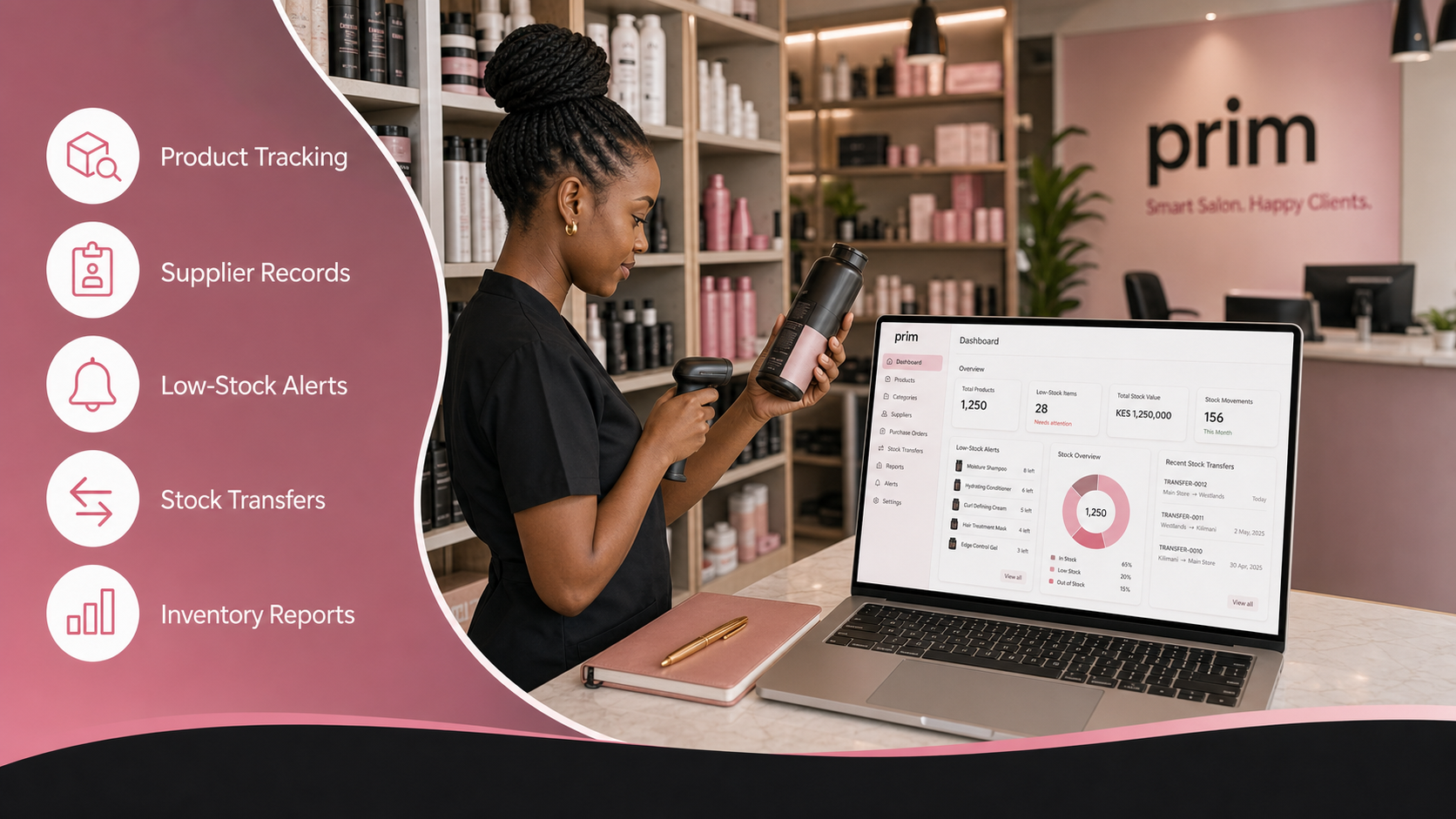
Salon products can represent a significant business expense. Shampoos, treatments, hair colour, nail supplies and retail products move quickly, but many salons still track them manually.
Without accurate records, products may run out unexpectedly, expire on the shelf or disappear without explanation. Salon inventory management software helps connect stock with daily salon operations.
Create a complete product list
Begin by recording every product used or sold in the salon. Include the product name, category, supplier, cost, selling price and current quantity. A centralized product list gives your team one source of accurate stock information.
Record salon stock movements
Stock levels should change whenever products are purchased, sold, used or adjusted. Recording these movements helps the owner understand where products are going. Retail sales can also be connected to the POS so the system reflects the products purchased by customers.
Use low-stock alerts
Running out of an essential product can interrupt appointments and disappoint clients. PRIM helps businesses identify low-stock items so managers can reorder them before they run out. This is particularly useful for products used frequently or obtained from suppliers with longer delivery times.
Monitor costs and retail sales
Inventory management is not only about counting bottles. It can help you compare purchasing costs with retail revenue and identify products that sell slowly. These insights support better ordering decisions and reduce the amount of money tied up in unnecessary stock.
Give employees appropriate access
Not every staff member needs permission to change product quantities or view purchasing information. Role-based access helps owners decide what receptionists, managers, accountants and service providers can see or manage.
Connect stock with the rest of the salon
PRIM connects inventory with salon POS sales, expenses and business reports. This gives owners a clearer view of how stock affects profitability.
Start using PRIM today and bring your salon products under control.
salon inventory management software: practical comparison checklist
Before choosing salon inventory management software, compare the daily tasks the platform must support. The right system should be easy enough for reception and service teams while giving owners reliable controls, reports and accountability.
- Appointments and walk-in management
- Service and retail-product checkout
- M-Pesa-ready payment records and receipts
- Customer profiles, preferences and visit history
- Staff assignments, permissions and performance
- Inventory movement and low-stock visibility
- Sales, expense and management reports
- Tools that can grow with additional staff or branches
How to introduce salon inventory management software to your team
Start with clean business information. Confirm your services, prices, staff members, opening hours, products, payment methods and customer records before setup. Reliable starting data makes the system easier to trust.
Train each employee on the tasks they perform every day. Receptionists need booking and checkout workflows. Service providers need assigned clients and service details. Managers need staff, stock and closing reports. Owners need revenue, expense and performance summaries.
Use salon inventory management software consistently. Record bookings, walk-ins, products, discounts and payments when they happen instead of reconstructing the day later. Consistent records create useful reports and reduce disagreements.
Questions to ask before choosing a system
Does it support Kenyan payment workflows?
Kenyan salons need clear M-Pesa and cash records. Review official M-Pesa information from Safaricom, then confirm how the software records payment methods, balances and receipts.
Can it protect customer information?
Customer profiles can contain names, phone numbers, preferences and visit history. Owners should use role-based access and follow guidance from Kenya’s Office of the Data Protection Commissioner.
Will it work as the salon grows?
Good salon inventory management software should support the business now and leave room for more staff, inventory, loyalty, reminders, online booking or multiple branches later.
Frequently asked questions about salon inventory management software
Is salon inventory management software useful for a small salon?
Yes. Small salons benefit from organized bookings, customer records, checkout and daily sales visibility before manual processes become difficult to control.
Can PRIM support salons and barbershops?
Yes. PRIM is designed for salons, spas and barbershops that manage appointments, walk-ins, POS, M-Pesa-ready payments, customers, stock, staff commissions and reports.
How quickly can a business get started?
Most teams can begin by adding services, staff, products, opening hours and payment methods during guided setup. PRIM also provides a 14-day free trial with no credit card required.
Choose salon inventory management software with confidence
salon inventory management software should make daily work clearer, not more complicated. PRIM connects the customer journey from booking and service delivery to checkout, follow-up and owner reporting.
Start your 14-day PRIM free trial and see how one connected workflow can help your beauty business operate with greater control.