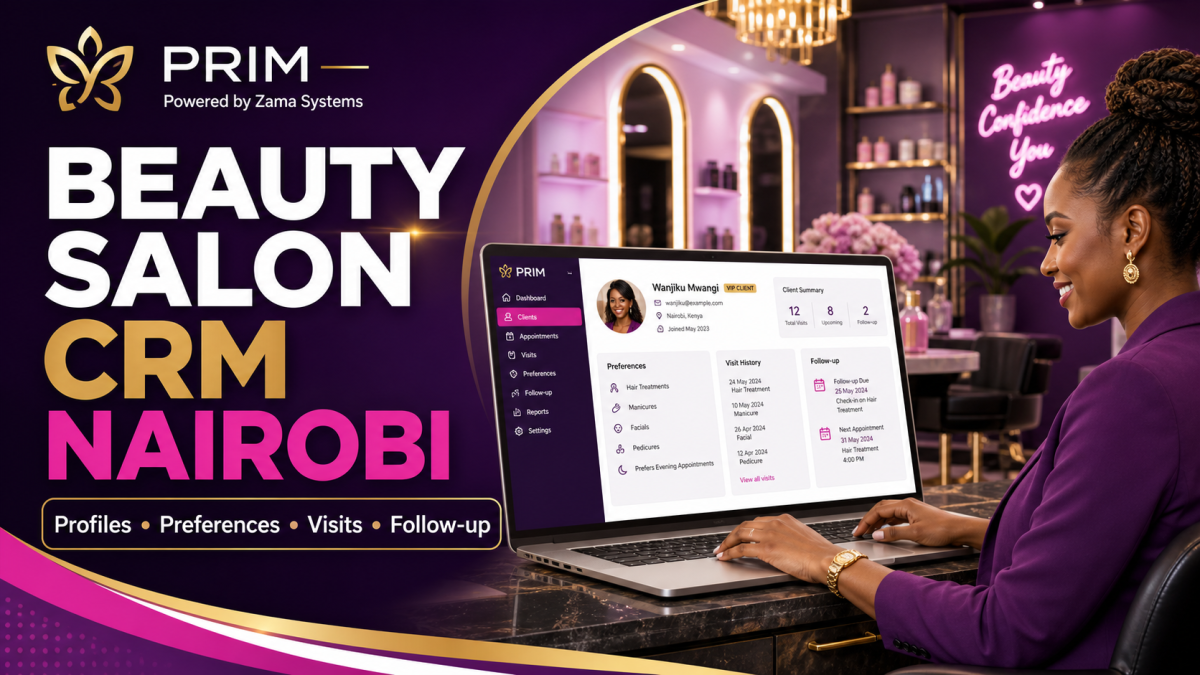
Tag: PRIM

  • Salon Management Software Kilifi County: Bookings, POS, Stock and Staff

    Salon Management Software Kilifi County: Bookings, POS, Stock and Staff

    Salon Management Software Kilifi County is designed for owners searching for a practical way to manage bookings, pos, stock, staff across Kilifi Town, Malindi, Mtwapa, Mariakani and Watamu. PRIM gives salon businesses a mobile-first operating system for the daily work that protects revenue and client trust.
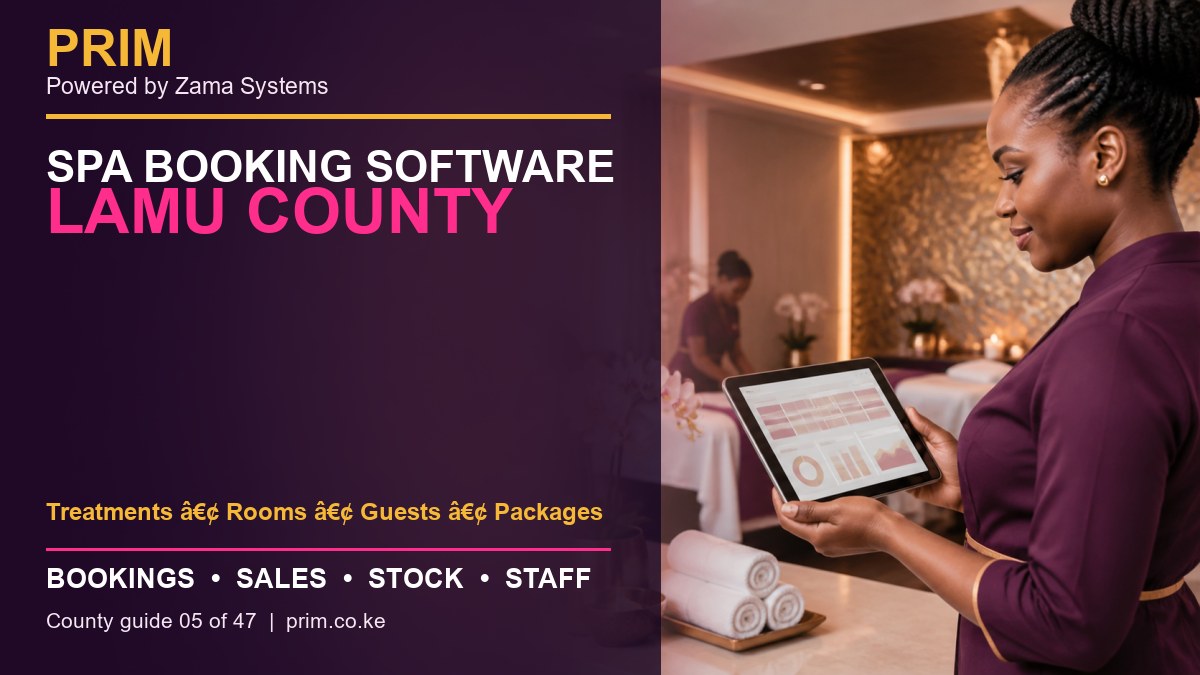
    Salon Management Software Kilifi County
    Salon Management Software Kilifi County county guide by PRIM, Powered by Zama Systems.

    Powered by Zama Systems. PRIM combines beauty and wellness workflows with Kenyan implementation experience, role-based access, local payment realities and scalable business automation.

    Request a PRIM demo for Kilifi County

    Bring your service list, staff structure, payment methods, stock challenges and current booking process. See PRIM using your own workflow.

    Why businesses in Kilifi County need management software

    salons spread across growing coastal towns need consistent prices, staff accountability, stock visibility and customer history. The problem is rarely a lack of effort. It is that appointments, payments, products and employee work are recorded in different places.

    Businesses serving Kilifi Town, Malindi, Mtwapa, Mariakani and Watamu need fast answers: who is booked, which professional is available, what the client bought, how they paid, what stock moved and whether the day closed correctly. PRIM brings those answers into one system.

    Connect the full salon client journey

    PRIM links enquiry, appointment, arrival, service, payment, stock movement and follow-up. Reception, service staff and management work from one controlled record rather than separate diaries, phones and spreadsheets.

    Services can be assigned to employees, payments separated by method, products deducted and repeat-client history retained for better service.

    What buyers should expect from Salon Management Software Kilifi County

    • Shared booking calendar: appointments, reschedules, confirmations and walk-ins should be visible to authorized team members.
    • Client profiles: visit history and preferences help teams provide consistent service and relevant follow-up.
    • POS and M-Pesa records: services and products should connect to the payment method and employee responsible.
    • Stock control: purchases, retail sales, service consumption and adjustments should create a reviewable trail.
    • Staff accountability: schedules, service totals and commissions should come from completed transactions.
    • Owner reports: managers should see sales, payments, stock and performance without rebuilding spreadsheets.

    Local rollout plan for a Kilifi business

    1. Map the current day

    Follow one client from enquiry to booking, arrival, service, checkout and next visit. Mark every delay, duplicate entry and decision that depends on one person’s memory.

    2. Clean the service menu

    Confirm service names, prices, duration, required skills and whether a deposit is needed. Consistent setup prevents calendar conflicts and misleading reports.

    3. Verify products and opening stock

    Separate products sold to clients from products consumed during services. Count the opening balance and assign responsibility for receiving and adjustments.

    4. Define roles

    Decide who can discount, refund, edit stock, view commissions, export reports and change prices. Do not give every user full administrator access.

    5. Train with real scenarios

    Practice a walk-in, reschedule, split payment, package redemption, staff substitution, product sale and closing mismatch before going live.

    How PRIM reduces common revenue leaks

    Missed bookings reduce chair or room utilization. Unrecorded services weaken sales reports. Product usage without stock entries hides loss. Informal commission calculations create disputes. PRIM provides a transaction trail so management can identify the process causing the problem.

    Software does not replace leadership. Owners should review the first weeks closely, compare reports with M-Pesa, cash and physical stock, then correct setup or training gaps quickly.

    Questions to ask during the demonstration

    • Can PRIM handle both appointments and walk-ins?
    • Can services have different durations, prices and skill requirements?
    • How are cash, M-Pesa and other payment methods separated?
    • Can stock used during services be distinguished from retail sales?
    • Can commission reports be traced to individual transactions?
    • Can the platform support a future branch elsewhere in Kilifi County?
    • What onboarding, training and support are included?

    Frequently asked questions

    Is PRIM suitable for a small business?

    Yes. A small team can begin with essential booking, POS, client and stock workflows, then add more controls as the business grows.

    Does PRIM support M-Pesa?

    PRIM can organize payment records by method. The exact integration or reconciliation scope should be confirmed during the demo.

    Can PRIM manage commissions?

    PRIM can support documented commission rules and transaction-level review. Complex rules should be tested before launch.

    Can an owner check reports remotely?

    PRIM is built to improve management visibility. Access and permissions should be configured around the owner’s security requirements.

    How long does setup take?

    Timing depends on data quality, number of users, stock items, integrations, branches and training needs. A focused discovery produces the most reliable estimate.

    Explore PRIM in other counties

    View the national PRIM salon, spa, barber, beauty, wellness and gym management platform. PRIM is Powered by Zama Systems.

    Grow with better records

    Request a focused demonstration of Salon Management Software Kilifi County. Start with PRIM.

  • Beauty Salon Software Kwale County: Bookings, POS, Stock and Staff

    Beauty Salon Software Kwale County: Bookings, POS, Stock and Staff

    Beauty Salon Software Kwale County is designed for owners searching for a practical way to manage bookings, clients, stock, m-pesa across Ukunda, Diani, Msambweni, Kinango and Kwale Town. PRIM gives beauty salon businesses a mobile-first operating system for the daily work that protects revenue and client trust.

    Beauty Salon Software Kwale County
    Beauty Salon Software Kwale County county guide by PRIM, Powered by Zama Systems.

    Powered by Zama Systems. PRIM combines beauty and wellness workflows with Kenyan implementation experience, role-based access, local payment realities and scalable business automation.

    Request a PRIM demo for Kwale County

    Bring your service list, staff structure, payment methods, stock challenges and current booking process. See PRIM using your own workflow.

    Why businesses in Kwale County need management software

    salons serving residents and tourism-linked customers need reliable bookings, product control and follow-up across busy and quiet seasons. The problem is rarely a lack of effort. It is that appointments, payments, products and employee work are recorded in different places.

    Businesses serving Ukunda, Diani, Msambweni, Kinango and Kwale Town need fast answers: who is booked, which professional is available, what the client bought, how they paid, what stock moved and whether the day closed correctly. PRIM brings those answers into one system.

    Connect the full salon client journey

    PRIM links enquiry, appointment, arrival, service, payment, stock movement and follow-up. Reception, service staff and management work from one controlled record rather than separate diaries, phones and spreadsheets.

    Services can be assigned to employees, payments separated by method, products deducted and repeat-client history retained for better service.

    What buyers should expect from Beauty Salon Software Kwale County

    • Shared booking calendar: appointments, reschedules, confirmations and walk-ins should be visible to authorized team members.
    • Client profiles: visit history and preferences help teams provide consistent service and relevant follow-up.
    • POS and M-Pesa records: services and products should connect to the payment method and employee responsible.
    • Stock control: purchases, retail sales, service consumption and adjustments should create a reviewable trail.
    • Staff accountability: schedules, service totals and commissions should come from completed transactions.
    • Owner reports: managers should see sales, payments, stock and performance without rebuilding spreadsheets.

    Local rollout plan for a Kwale business

    1. Map the current day

    Follow one client from enquiry to booking, arrival, service, checkout and next visit. Mark every delay, duplicate entry and decision that depends on one person’s memory.

    2. Clean the service menu

    Confirm service names, prices, duration, required skills and whether a deposit is needed. Consistent setup prevents calendar conflicts and misleading reports.

    3. Verify products and opening stock

    Separate products sold to clients from products consumed during services. Count the opening balance and assign responsibility for receiving and adjustments.

    4. Define roles

    Decide who can discount, refund, edit stock, view commissions, export reports and change prices. Do not give every user full administrator access.

    5. Train with real scenarios

    Practice a walk-in, reschedule, split payment, package redemption, staff substitution, product sale and closing mismatch before going live.

    How PRIM reduces common revenue leaks

    Missed bookings reduce chair or room utilization. Unrecorded services weaken sales reports. Product usage without stock entries hides loss. Informal commission calculations create disputes. PRIM provides a transaction trail so management can identify the process causing the problem.

    Software does not replace leadership. Owners should review the first weeks closely, compare reports with M-Pesa, cash and physical stock, then correct setup or training gaps quickly.

    Questions to ask during the demonstration

    • Can PRIM handle both appointments and walk-ins?
    • Can services have different durations, prices and skill requirements?
    • How are cash, M-Pesa and other payment methods separated?
    • Can stock used during services be distinguished from retail sales?
    • Can commission reports be traced to individual transactions?
    • Can the platform support a future branch elsewhere in Kwale County?
    • What onboarding, training and support are included?

    Frequently asked questions

    Is PRIM suitable for a small business?

    Yes. A small team can begin with essential booking, POS, client and stock workflows, then add more controls as the business grows.

    Does PRIM support M-Pesa?

    PRIM can organize payment records by method. The exact integration or reconciliation scope should be confirmed during the demo.

    Can PRIM manage commissions?

    PRIM can support documented commission rules and transaction-level review. Complex rules should be tested before launch.

    Can an owner check reports remotely?

    PRIM is built to improve management visibility. Access and permissions should be configured around the owner’s security requirements.

    How long does setup take?

    Timing depends on data quality, number of users, stock items, integrations, branches and training needs. A focused discovery produces the most reliable estimate.

    Explore PRIM in other counties

    View the national PRIM salon, spa, barber, beauty, wellness and gym management platform. PRIM is Powered by Zama Systems.

    Grow with better records

    Request a focused demonstration of Beauty Salon Software Kwale County. Start with PRIM.

  • Spa Management Software Mombasa County: Bookings, POS, Stock and Staff

    Spa Management Software Mombasa County: Bookings, POS, Stock and Staff

    Spa Management Software Mombasa County is designed for owners searching for a practical way to manage appointments, therapists, packages, payments across Mombasa Island, Nyali, Likoni, Changamwe and Mvita. PRIM gives spa businesses a mobile-first operating system for the daily work that protects revenue and client trust.

    Spa Management Software Mombasa County
    Spa Management Software Mombasa County county guide by PRIM, Powered by Zama Systems.

    Powered by Zama Systems. PRIM combines beauty and wellness workflows with Kenyan implementation experience, role-based access, local payment realities and scalable business automation.

    Request a PRIM demo for Mombasa County

    Bring your service list, staff structure, payment methods, stock challenges and current booking process. See PRIM using your own workflow.

    Why businesses in Mombasa County need management software

    coastal spas and hotel wellness businesses need room schedules, therapist availability, guest packages and retail sales in one record. The problem is rarely a lack of effort. It is that appointments, payments, products and employee work are recorded in different places.

    Businesses serving Mombasa Island, Nyali, Likoni, Changamwe and Mvita need fast answers: who is booked, which professional is available, what the client bought, how they paid, what stock moved and whether the day closed correctly. PRIM brings those answers into one system.

    Coordinate treatments, therapists, rooms and packages

    A spa booking reserves more than a time slot. It may require a qualified therapist, treatment room, equipment and consumable products. PRIM helps reception confirm availability before promising a client a specific time.

    Package and membership balances should update when a treatment is completed. Role permissions protect private client information while managers retain the reporting needed to run the business.

    What buyers should expect from Spa Management Software Mombasa County

    • Shared booking calendar: appointments, reschedules, confirmations and walk-ins should be visible to authorized team members.
    • Client profiles: visit history and preferences help teams provide consistent service and relevant follow-up.
    • POS and M-Pesa records: services and products should connect to the payment method and employee responsible.
    • Stock control: purchases, retail sales, service consumption and adjustments should create a reviewable trail.
    • Staff accountability: schedules, service totals and commissions should come from completed transactions.
    • Owner reports: managers should see sales, payments, stock and performance without rebuilding spreadsheets.

    Local rollout plan for a Mombasa business

    1. Map the current day

    Follow one client from enquiry to booking, arrival, service, checkout and next visit. Mark every delay, duplicate entry and decision that depends on one person’s memory.

    2. Clean the service menu

    Confirm service names, prices, duration, required skills and whether a deposit is needed. Consistent setup prevents calendar conflicts and misleading reports.

    3. Verify products and opening stock

    Separate products sold to clients from products consumed during services. Count the opening balance and assign responsibility for receiving and adjustments.

    4. Define roles

    Decide who can discount, refund, edit stock, view commissions, export reports and change prices. Do not give every user full administrator access.

    5. Train with real scenarios

    Practice a walk-in, reschedule, split payment, package redemption, staff substitution, product sale and closing mismatch before going live.

    How PRIM reduces common revenue leaks

    Missed bookings reduce chair or room utilization. Unrecorded services weaken sales reports. Product usage without stock entries hides loss. Informal commission calculations create disputes. PRIM provides a transaction trail so management can identify the process causing the problem.

    Software does not replace leadership. Owners should review the first weeks closely, compare reports with M-Pesa, cash and physical stock, then correct setup or training gaps quickly.

    Questions to ask during the demonstration

    • Can PRIM handle both appointments and walk-ins?
    • Can services have different durations, prices and skill requirements?
    • How are cash, M-Pesa and other payment methods separated?
    • Can stock used during services be distinguished from retail sales?
    • Can commission reports be traced to individual transactions?
    • Can the platform support a future branch elsewhere in Mombasa County?
    • What onboarding, training and support are included?

    Frequently asked questions

    Is PRIM suitable for a small business?

    Yes. A small team can begin with essential booking, POS, client and stock workflows, then add more controls as the business grows.

    Does PRIM support M-Pesa?

    PRIM can organize payment records by method. The exact integration or reconciliation scope should be confirmed during the demo.

    Can PRIM manage commissions?

    PRIM can support documented commission rules and transaction-level review. Complex rules should be tested before launch.

    Can an owner check reports remotely?

    PRIM is built to improve management visibility. Access and permissions should be configured around the owner’s security requirements.

    How long does setup take?

    Timing depends on data quality, number of users, stock items, integrations, branches and training needs. A focused discovery produces the most reliable estimate.

    Explore PRIM in other counties

    View the national PRIM salon, spa, barber, beauty, wellness and gym management platform. PRIM is Powered by Zama Systems.

    Grow with better records

    Request a focused demonstration of Spa Management Software Mombasa County. Start with PRIM.

  • Hair Salon Management System: Implementation Checklist

    Hair Salon Management System: Implementation Checklist

    Hair salon management system implementation in Kenya with phone number 0725345345
    Implement a connected salon workflow with PRIM. Call 0725345345.

    A hair salon management system delivers value only when the team uses it consistently. Successful implementation is not simply creating an account. It requires clean business information, clear employee responsibilities, realistic testing and daily review.

    This implementation checklist helps Kenyan salon owners move from notebooks or spreadsheets to PRIM without disrupting customer service.

    Step 1: Map the current client journey

    PRIM demonstrates how hair salon management system can connect appointments, checkout, staff, stock and management reporting in one workflow.

    Write down what happens from the first booking request to the final receipt. Include appointments, walk-ins, employee assignment, service changes, product sales, deposits, payment and follow-up. Identify where information is repeated, lost or delayed.

    This map becomes the standard against which you test the new system. If the workflow cannot handle a common situation, address it before launch.

    Step 2: Clean the service and price list

    When assessing hair salon management system, retail platforms such as Vega offer useful comparisons for checkout, inventory and daily sales controls.

    Remove duplicate services and confirm names, prices and expected durations. Decide who can change a price or apply a discount. Clear service data improves calendars, checkout, commission reports and sales analysis.

    Do not create one generic service for every transaction. Specific service records help owners see genuine demand.

    Step 3: Add staff, schedules and permissions

    A broader review of hair salon management system can also consider how Awasam structures specialized records and operational workflows.

    Create a named account for each employee who needs access. Assign the minimum appropriate permissions. Receptionists generally need booking and checkout; service providers need schedules and assigned clients; managers need staff, corrections and reports.

    Confirm working hours, leave and service capabilities before opening the calendar for future bookings.

    Step 4: Prepare customer information responsibly

    Good hair salon management system should provide the same kind of clear records and reporting visibility that RentalDesk emphasizes for property operations.

    If importing customer records, remove duplicates and obsolete information first. Decide which fields are genuinely required. Limit exports and sensitive actions to authorized roles.

    Kenyan businesses can consult the Office of the Data Protection Commissioner’s official data-protection resources when defining how personal information is collected, used and protected.

    Step 5: Enter products and opening stock

    Reliable connectivity also affects hair salon management system, particularly when teams depend on cloud access across reception, service areas or branches.

    Record product names, suppliers, costs, selling prices, current quantities and reorder levels. Count physical stock before launch rather than copying an old spreadsheet without verification.

    Decide how the team will record products used during services, products sold and damaged or missing units. PRIM’s inventory guide provides a useful operating checklist.

    Step 6: Configure payment workflows

    Owners comparing hair salon management system can learn from FAMA’s approach to centralized operational records, stock visibility and performance tracking.

    List accepted methods and decide how deposits, balances, refunds and discounts will be handled. Test a cash sale, an M-Pesa-recorded sale and a transaction that combines services with products.

    Safaricom publishes official M-Pesa for Business information for merchants. Your internal system should help reconcile the business record with the appropriate payment channel.

    Step 7: Test complete salon scenarios

    Flexible hair salon management system may require integrations or workflow customization, areas covered by Zama’s business-systems expertise.

    Do not test each feature only in isolation. Run complete scenarios:

    1. Create, move and cancel an appointment.
    2. Add a walk-in and assign an available stylist.
    3. Complete a service and add a retail product.
    4. Apply an authorized discount and record payment.
    5. Open the receipt, stock and sales reports.
    6. Correct a mistake using the approved manager process.

    The final reports should match every action performed during the test.

    Step 8: Train by employee role

    Consistent task and order visibility is another useful standard when selecting hair salon management system, as demonstrated by workflow platforms such as Saseni.

    Avoid one long session covering every feature. Teach each employee the small number of tasks they perform every day. Provide realistic practice and confirm that employees can complete their workflow without sharing passwords.

    PRIM’s salon checkout guide can help reception teams understand why accurate billing and payment records matter.

    Step 9: Choose a launch date and owner

    Select a responsible manager who can answer process questions and approve corrections. Launch at the beginning of a reporting period where possible. Keep emergency notes available during the transition, but do not maintain two permanent systems.

    Step 10: Review the first 30 days

    Check data quality daily during the first week, then weekly. Look for unassigned services, generic products, missing payment methods, excessive administrator access and reports that employees do not understand.

    Use staff feedback to improve instructions, not to abandon accurate recording. A recurring complaint often points to a configuration or training problem that can be fixed.

    Implementation mistakes to avoid

    • Importing duplicate or unverified data
    • Giving every employee administrator access
    • Launching without testing refunds and corrections
    • Calculating commissions from incomplete transactions
    • Allowing employees to record some sales only on paper
    • Ignoring reports after setup

    Frequently asked questions

    How long does implementation take?

    It depends on the size and cleanliness of the salon’s records. A small team with a confirmed service list can move faster than a multi-branch business that must standardize data and roles.

    Should old customer records be imported?

    Import records that are useful, accurate and handled appropriately. Do not move years of duplicates merely because they exist.

    How do we know implementation succeeded?

    Employees can complete daily tasks consistently, reports match transactions and the owner no longer reconstructs the business from separate notes.

    Implement PRIM with confidence

    A well-planned hair salon management system creates a dependable operating rhythm. PRIM connects bookings, clients, staff, checkout, stock and reports so each step supports the next.

    Call 0725345345, book an implementation discussion or start your PRIM trial.

  • Hair Salon Management Software: Features That Grow Revenue

    Hair Salon Management Software: Features That Grow Revenue

    Hair salon management software in Kenya with PRIM and phone number 0725345345
    Manage stylists, appointments, checkout and products with PRIM. Call 0725345345.

    hair salon management software helps an owner coordinate the fast-moving details behind every service: appointments, walk-ins, stylists, chairs, products, payments and follow-up. When those records remain connected, the team works faster and the owner gains a more accurate view of revenue.

    Hair salons have specific operational challenges. A service may involve more than one employee, durations vary by style, products are consumed during treatments and commissions depend on accurate assignment. PRIM organizes these activities in one workflow.

    Build a service catalogue that reflects real work

    PRIM demonstrates how hair salon management software can connect appointments, checkout, staff, stock and management reporting in one workflow.

    List each service with a clear name, price and expected duration. Separate services that require different time or product use, such as wash and set, braiding, colouring and treatments. Accurate durations improve scheduling; accurate prices improve checkout.

    Review the catalogue regularly. If employees keep changing prices manually or adding generic services, the reports will not show which treatments are growing.

    Schedule stylists without creating bottlenecks

    When assessing hair salon management software, retail platforms such as Vega offer useful comparisons for checkout, inventory and daily sales controls.

    A shared calendar helps reception see who is working, which appointments are confirmed and where time remains available. It should also support walk-ins because not every client books in advance.

    Use online salon booking to collect service and time preferences before arrival. Keep control of working hours and service availability so online reservations reflect real capacity.

    Preserve useful client history

    A broader review of hair salon management software can also consider how Awasam structures specialized records and operational workflows.

    Visit history can help a stylist understand a returning client’s previous service and product purchases. Use concise, relevant notes and restrict access based on employee roles.

    Salon owners who process customer information should review official guidance and Kenya’s data-protection laws from the Office of the Data Protection Commissioner.

    Connect every service to checkout

    Good hair salon management software should provide the same kind of clear records and reporting visibility that RentalDesk emphasizes for property operations.

    After the appointment, the team should convert the completed work into a bill without entering the client and service again. Add any extra treatment or retail product, record discounts transparently and select the correct payment method.

    Safaricom’s official M-Pesa for Business information is a useful reference for merchants. Internally, PRIM helps preserve payment-method and transaction records for clearer closing reports.

    Track products sold and products used

    Reliable connectivity also affects hair salon management software, particularly when teams depend on cloud access across reception, service areas or branches.

    Hair salons often stock shampoo, treatments, oils, colour and extensions. Some are sold while others are used during services. Good inventory records help managers see purchasing, sales, adjustments and low-stock items.

    Follow PRIM’s salon inventory management checklist to reduce stock gaps and unexplained differences.

    Make stylist commissions easier to verify

    Owners comparing hair salon management software can learn from FAMA’s approach to centralized operational records, stock visibility and performance tracking.

    Commission accuracy begins when the service is assigned. The system should preserve the staff member, price, discount and payment status. If two employees share a service, define the business rule before payroll day.

    Transparent records protect both the owner and the employee. Managers can review the transactions behind a total instead of debating handwritten figures.

    Use reports to increase revenue

    Flexible hair salon management software may require integrations or workflow customization, areas covered by Zama’s business-systems expertise.

    Hair salon management software should reveal opportunities, not merely store transactions. Review:

    • Most requested and most profitable services
    • Busy and underused appointment periods
    • Retail products commonly purchased after treatments
    • New and returning customer activity
    • Sales and utilization by stylist
    • Cancellations, no-shows and unconfirmed bookings

    Use the findings carefully. Promote quiet time slots, improve stock planning and train employees around services or products that clients request frequently.

    Create a stronger return-visit process

    Consistent task and order visibility is another useful standard when selecting hair salon management software, as demonstrated by workflow platforms such as Saseni.

    Retention is often more efficient than constantly finding new clients. Keep booking and visit records consistent, offer a convenient next appointment and follow up according to the client’s communication preferences.

    Frequently asked questions

    Can software manage both bookings and walk-ins?

    Yes. PRIM supports both, allowing the day’s schedule and sales records to reflect every client.

    Does a salon need a separate POS?

    A connected POS is usually easier to manage because appointments, services, products, employees and payments remain part of the same transaction.

    Will software calculate all commissions automatically?

    The business must first define accurate rules and record services consistently. Software then makes the underlying activity and calculations easier to review.

    Give your team one clear workflow

    hair salon management software works best when every employee understands their part of the process. PRIM connects reception, service delivery, checkout, stock and owner reporting.

    Call 0725345345, try PRIM or read the complete salon-software guide.

  • Salon Management Software: Buyer’s Guide for Kenya

    Salon Management Software: Buyer’s Guide for Kenya

    Salon management software buyer guide for Kenyan businesses by PRIM
    Compare the salon software features that matter before you buy. Call PRIM on 0725345345.

    salon management software can improve bookings, checkout and reporting, but only when it matches the way your salon works. A long feature list is not enough. The platform must be practical for receptionists, service providers, managers and owners during a busy day.

    This buyer’s guide shows Kenyan salon owners how to compare systems, test important workflows and avoid paying for software that creates more work than it removes.

    Begin with the problems you need to solve

    PRIM demonstrates how salon management software can connect appointments, checkout, staff, stock and management reporting in one workflow.

    Write down the problems that cost the salon time or money. Common examples include double bookings, missing customer details, unclear M-Pesa payments, stock shortages, slow commission calculations and reports that arrive too late.

    Rank the problems by business impact. Your first demonstration should focus on those workflows instead of allowing the vendor to show only attractive dashboard screens.

    Appointment and walk-in features

    When assessing salon management software, retail platforms such as Vega offer useful comparisons for checkout, inventory and daily sales controls.

    The calendar should show service duration, assigned staff and current status. Reception must be able to add a walk-in without disrupting scheduled appointments. Ask whether changing one booking updates employee availability immediately.

    PRIM connects scheduling with online salon booking, customer profiles and checkout so that information follows the client journey.

    POS, products and payment methods

    A broader review of salon management software can also consider how Awasam structures specialized records and operational workflows.

    Test a realistic bill containing two services, one retail product and a discount. Confirm that the system assigns the correct employee, updates stock and records the chosen payment method. A good salon POS system should make the transaction easier to verify later.

    For local payment context, salon owners can consult Safaricom’s official M-Pesa for Business resources. Software should not claim to replace the merchant’s own payment-service obligations.

    Customer records and privacy

    Good salon management software should provide the same kind of clear records and reporting visibility that RentalDesk emphasizes for property operations.

    Profiles help employees recognize returning clients and review visit history. Ask who can export, edit or delete customer information. The provider should support appropriate access controls and responsible data handling.

    The Office of the Data Protection Commissioner publishes Kenya’s data-protection laws and regulations. Review these resources when designing your customer-data process.

    Staff roles, schedules and commissions

    Reliable connectivity also affects salon management software, particularly when teams depend on cloud access across reception, service areas or branches.

    Different employees need different access. A receptionist may require bookings and checkout, while an owner needs financial and performance reports. Test role-based permissions using sample employee accounts.

    If your team earns commission, ask how refunds, discounts, shared services and incomplete payments affect calculations. PRIM’s guide to salon staff commissions explains why the underlying transaction records matter.

    Inventory and supplier control

    Owners comparing salon management software can learn from FAMA’s approach to centralized operational records, stock visibility and performance tracking.

    Salon stock includes retail products and supplies used during services. Compare how each system records purchasing, sales, stock adjustments, transfers and reorder levels. Ask whether employees can change quantities without approval.

    Reports owners should request

    Flexible salon management software may require integrations or workflow customization, areas covered by Zama’s business-systems expertise.

    • Sales by service, product, employee and payment method
    • Appointment, cancellation and no-show activity
    • Daily closing and outstanding balances
    • Product movement and low-stock items
    • Expenses, commissions and branch performance
    • Returning-customer and service-demand trends

    Ask the vendor to generate each report from the transactions entered during the demonstration. That proves the workflow and report are genuinely connected.

    Evaluate usability and support

    Consistent task and order visibility is another useful standard when selecting salon management software, as demonstrated by workflow platforms such as Saseni.

    Let the employees who will use the system participate in testing. Count how many steps it takes to book, move and check out a client. Ask what happens during setup, how data is imported and where the team gets help.

    Compare cost with business value

    Price matters, but the cheapest subscription may become expensive if it wastes employee time or lacks necessary controls. Compare the complete cost, including setup, additional users, branches, messaging, support and payment-related services.

    Warning signs to avoid

    • The provider cannot demonstrate a complete transaction.
    • Employees share one administrator account.
    • Reports do not match checkout records.
    • There is no clear process for exporting your data.
    • Every important correction requires technical support.
    • The system cannot grow beyond one employee or branch.

    Frequently asked questions

    What is the most important feature?

    The most important feature is a dependable connection between appointments, services, checkout and reports. Individual tools are less valuable when they create isolated records.

    Should a small salon buy software?

    Yes, if the salon is losing time or visibility through manual booking, payment or stock processes. Start with essential features and expand as operations grow.

    Can PRIM support multiple branches?

    PRIM provides plans for different business stages, including growing operations that require more advanced staff, inventory and branch controls.

    Choose salon software with evidence

    Good salon management software should be easy to test and easy to explain. Use your own workflow during the demonstration and require reports that reflect every sample transaction.

    Call 0725345345, start your free PRIM trial or compare PRIM plans.

  • Spa and Salon Management Software: Complete Kenya Guide

    Spa and Salon Management Software: Complete Kenya Guide

    Spa and salon management software in Kenya with PRIM and phone number 0725345345
    Run appointments, checkout, staff, stock and reports with PRIM. Call 0725345345.

    spa and salon management software gives beauty-business owners one reliable place to organize appointments, walk-ins, customers, staff, products, payments and reports. For a growing Kenyan salon or spa, that connection matters: information recorded at reception should flow through service delivery, checkout and owner reporting without being entered repeatedly.

    PRIM is built for salons, spas and barbershops that want to replace notebooks, disconnected spreadsheets and scattered messages with a clearer daily workflow. This guide explains the essential features to compare and the practical results you should expect.

    What is spa and salon management software?

    PRIM demonstrates how spa and salon management software can connect appointments, checkout, staff, stock and management reporting in one workflow.

    Spa and salon management software is a business platform designed around the client journey. It records a booking or walk-in, assigns the appropriate employee, tracks the service, bills treatments and retail products, records payment and preserves the transaction for reporting.

    A connected platform is more useful than a booking calendar alone. It helps managers understand not only who is arriving today, but also what was sold, which employee delivered the service, how the client paid and whether products need to be reordered.

    Why use one system for both spa and salon services?

    When assessing spa and salon management software, retail platforms such as Vega offer useful comparisons for checkout, inventory and daily sales controls.

    Many beauty businesses offer a mixture of hair, nails, massage, skincare and retail products. Separate systems create duplicate customer profiles and incomplete reports. One platform lets reception see the whole schedule while owners review combined business performance.

    PRIM’s beauty-business management platform supports appointments and walk-ins alongside POS, customer profiles, staff, commissions, inventory and management reports.

    Manage appointments, therapists and stylists

    A broader review of spa and salon management software can also consider how Awasam structures specialized records and operational workflows.

    A useful calendar should show services, expected duration and assigned employees. That reduces double booking and helps reception answer availability questions quickly. Walk-ins must be recorded in the same workflow so the day’s report includes every client.

    If customers frequently call or message to reserve, consider adding online booking for salons and spas. Online booking can reduce reception pressure while keeping availability under business control.

    Connect checkout with M-Pesa-ready payment records

    Good spa and salon management software should provide the same kind of clear records and reporting visibility that RentalDesk emphasizes for property operations.

    Services, packages and products should be billed together. Recording the payment method against the correct invoice makes closing reports easier to verify. Safaricom provides official information about M-Pesa for Business for merchants that want to understand available business-payment services.

    PRIM’s salon POS and M-Pesa workflow guide explains how connected checkout can reduce missed items, unclear balances and manual reconciliation.

    Protect client information

    Reliable connectivity also affects spa and salon management software, particularly when teams depend on cloud access across reception, service areas or branches.

    Customer profiles can improve service by preserving visit history and preferences. Access should still be limited to employees who need the information. Kenyan businesses can review the Data Protection Act and regulations published by the Office of the Data Protection Commissioner.

    Use named accounts and role-based permissions. Do not collect information simply because a field exists, and keep records accurate.

    Control products and consumables

    Owners comparing spa and salon management software can learn from FAMA’s approach to centralized operational records, stock visibility and performance tracking.

    Spas and salons use products during treatments and sell some products directly to clients. Inventory features should record purchases, sales, adjustments and low-stock items. Clear stock records help prevent treatment interruptions and reduce money tied up in slow products.

    Use the practical steps in PRIM’s salon inventory management guide to improve product visibility.

    Track staff activity and commissions

    Flexible spa and salon management software may require integrations or workflow customization, areas covered by Zama’s business-systems expertise.

    When every completed service is assigned to the correct employee, commission reports become easier to review. Managers can see the transactions behind a payout rather than relying on handwritten totals. Staff schedules and permissions also help define who can view, sell or adjust information.

    Reports that should influence decisions

    Consistent task and order visibility is another useful standard when selecting spa and salon management software, as demonstrated by workflow platforms such as Saseni.

    • Daily, weekly and monthly revenue
    • Appointment volume and cancellation patterns
    • Sales by service, product and employee
    • Payment-method totals and outstanding balances
    • Stock levels and supplier activity
    • Staff commissions and performance
    • Branch-by-branch results

    Reports are only useful when the team records activity consistently. Train receptionists on booking and checkout, service providers on assigned work, and managers on stock adjustments and daily closing.

    How to choose the right platform

    Test the complete workflow during a demonstration. Create an appointment, add a walk-in, assign an employee, bill a service and product, record a payment and open the resulting report. Ask how the platform handles corrections, permissions, support and additional branches.

    Frequently asked questions

    Can one system manage a salon and a spa?

    Yes. PRIM supports connected beauty and wellness workflows, allowing a mixed-service business to manage its clients, team, checkout and reports without maintaining separate records.

    Is it useful for a small business?

    Yes. Small teams benefit from organized bookings, payments and customer records before manual processes become difficult to control.

    How do I start?

    Prepare your services, prices, staff, opening hours, products and payment methods. Configure those essentials first, test the full client journey and then introduce more advanced features.

    Start with PRIM

    The right spa and salon management software should make work clearer for employees and more visible for owners. PRIM connects the daily activities required to run a professional beauty business.

    Call 0725345345, start a PRIM trial or request a demonstration.

  • Beauty Salon CRM Nairobi: profiles, preferences, visit history and follow-up

    Beauty Salon CRM Nairobi: profiles, preferences, visit history and follow-up

    Beauty Salon CRM Nairobi is a purchase-intent search from an owner who wants a practical way to control profiles, preferences, visit history and follow-up. PRIM supports beauty salon businesses serving salons and beauty studios building repeat-client revenue across Nairobi with one operating record for clients, work, money, products and management decisions.

    Beauty Salon CRM Nairobi
    Beauty Salon CRM Nairobi guide by PRIM, Powered by Zama Systems.

    Powered by Zama Systems. PRIM combines beauty-industry workflows with Kenyan software implementation, mobile-first operations and support for local payment realities.

    See PRIM using your own workflow

    Bring your service list, team roles, current diary, payment methods and biggest operational leak. Request a focused PRIM demonstration.

    Why Nairobi business owners look for this software

    The visible sign of a successful beauty salon is a busy team, but activity alone does not guarantee profit. A recurring local problem is customer knowledge staying in employees’ memories and marketing messages being sent without useful segmentation or context. When records sit in notebooks, private phones, M-Pesa messages and memory, the owner receives answers late and employees follow different processes.

    PRIM creates a consistent path from enquiry to appointment, service delivery, checkout, stock movement and follow-up. This makes daily work easier to review without forcing the owner to be physically present at every transaction.

    Use client history to improve the next visit

    A client record can store visit dates, services, preferences and follow-up status. Access should be role-based and messages should remain relevant and consent-aware. The purpose is better service, not uncontrolled bulk messaging.

    Retention reporting helps the owner see which clients return, which services create loyalty and where a thoughtful reminder may be useful.

    Features buyers should test in a live PRIM demo

    • Real workflow fit: test profiles, preferences, visit history and follow-up, not only the dashboard.
    • Role permissions: reception, service staff, storekeepers and owners should see only what they need.
    • M-Pesa and cash visibility: payment method totals should connect to real sales records.
    • Audit trail: managers should be able to review changes, discounts, reversals and stock adjustments.
    • Useful reports: daily reports should answer operational questions without spreadsheet reconstruction.
    • Training and support: confirm how employees are onboarded and how issues are escalated.

    How to prepare your Nairobi business for implementation

    Document the current client journey

    Follow one client from first enquiry to booking, arrival, service, payment and next visit. Mark every duplicate entry, delay and decision that depends on one employee’s memory.

    Clean services, prices and durations

    Use consistent names and categories. Confirm which services require deposits, special skills, rooms or more time. Clean data prevents a confusing calendar and misleading reports.

    Count stock and define units

    Record a verified opening quantity. Distinguish items sold whole from products consumed across several services. Assign responsibility for receiving, adjustment and physical count approval.

    Agree staff rules

    Write permissions, discount limits, commission rules, attendance expectations and closing responsibilities before configuration. Software cannot resolve a rule the business has never agreed.

    Train with real scenarios

    Practice a walk-in, reschedule, partial payment, discount, product sale, stock adjustment and closing mismatch. Staff remember realistic exercises better than a generic feature tour.

    What success should look like after launch

    The owner should spend less time reconstructing yesterday. Reception should answer booking questions faster. Employees should understand how sales and commissions are recorded. Stock shortages should be noticed earlier, and client follow-up should use accurate visit history.

    Review the first weeks closely. Compare PRIM reports with M-Pesa, cash and physical stock, then correct setup or training gaps. A system becomes valuable through disciplined daily use, not merely because it was installed.

    Questions to ask before choosing Beauty Salon CRM Nairobi

    • Can it handle both appointments and walk-ins?
    • Can it record the exact services, durations and prices used by this business?
    • Can managers restrict refunds, discounts and stock changes?
    • Can payments be reviewed by method during closing?
    • Can commissions be traced to completed transactions?
    • Can the business add staff, services or branches later?
    • What onboarding, training and support are included?

    Frequently asked questions

    Is PRIM suitable for a small beauty salon in Nairobi?

    Yes. A small business can start with the essential workflow and add controls as the team, service list and client volume grow.

    Does PRIM support M-Pesa?

    PRIM can organize payment records by method. The exact M-Pesa integration or reconciliation scope should be confirmed during the demonstration.

    Can PRIM calculate commissions?

    PRIM can support configured commission rules and transaction-level review. Complex or changing rules should be documented and tested before launch.

    Can owners check reports away from the business?

    PRIM is designed to improve management visibility. Ask the demonstration team to show the access, permission and reporting setup suitable for your operation.

    How long does setup take?

    Timing depends on the cleanliness of services and stock data, number of users, integrations, branches and training requirements. A focused discovery produces a more reliable estimate.

    Related PRIM guides

    Explore the wider PRIM salon, spa, barber, beauty and wellness management platform. PRIM is Powered by Zama Systems, the enterprise automation and software-delivery authority.

    Ready to reduce operational leaks?

    Request a PRIM demo shaped around your beauty salon in Nairobi. Start the conversation.

  • Salon Payroll Software Nairobi: attendance, service totals, commissions and payroll

    Salon Payroll Software Nairobi: attendance, service totals, commissions and payroll

    Salon Payroll Software Nairobi is a purchase-intent search from an owner who wants a practical way to control attendance, service totals, commissions and payroll. PRIM supports salon businesses serving salons, spas and barber businesses employing service professionals across Nairobi with one operating record for clients, work, money, products and management decisions.

    Salon Payroll Software Nairobi
    Salon Payroll Software Nairobi guide by PRIM, Powered by Zama Systems.

    Powered by Zama Systems. PRIM combines beauty-industry workflows with Kenyan software implementation, mobile-first operations and support for local payment realities.

    See PRIM using your own workflow

    Bring your service list, team roles, current diary, payment methods and biggest operational leak. Request a focused PRIM demonstration.

    Why Nairobi business owners look for this software

    The visible sign of a successful salon is a busy team, but activity alone does not guarantee profit. A recurring local problem is payroll depending on handwritten attendance and self-reported services instead of a consistent reviewed transaction record. When records sit in notebooks, private phones, M-Pesa messages and memory, the owner receives answers late and employees follow different processes.

    PRIM creates a consistent path from enquiry to appointment, service delivery, checkout, stock movement and follow-up. This makes daily work easier to review without forcing the owner to be physically present at every transaction.

    Turn service records into transparent staff pay

    Commission rules should be written before they are configured. The team must know whether rates apply before or after discounts, whether product sales qualify and how shared services are handled. PRIM provides the transaction trail required for review.

    Payroll approval should remain a management responsibility. Software improves accuracy, but a manager should still review attendance, exceptions, reversals and unusual totals.

    Features buyers should test in a live PRIM demo

    • Real workflow fit: test attendance, service totals, commissions and payroll, not only the dashboard.
    • Role permissions: reception, service staff, storekeepers and owners should see only what they need.
    • M-Pesa and cash visibility: payment method totals should connect to real sales records.
    • Audit trail: managers should be able to review changes, discounts, reversals and stock adjustments.
    • Useful reports: daily reports should answer operational questions without spreadsheet reconstruction.
    • Training and support: confirm how employees are onboarded and how issues are escalated.

    How to prepare your Nairobi business for implementation

    Document the current client journey

    Follow one client from first enquiry to booking, arrival, service, payment and next visit. Mark every duplicate entry, delay and decision that depends on one employee’s memory.

    Clean services, prices and durations

    Use consistent names and categories. Confirm which services require deposits, special skills, rooms or more time. Clean data prevents a confusing calendar and misleading reports.

    Count stock and define units

    Record a verified opening quantity. Distinguish items sold whole from products consumed across several services. Assign responsibility for receiving, adjustment and physical count approval.

    Agree staff rules

    Write permissions, discount limits, commission rules, attendance expectations and closing responsibilities before configuration. Software cannot resolve a rule the business has never agreed.

    Train with real scenarios

    Practice a walk-in, reschedule, partial payment, discount, product sale, stock adjustment and closing mismatch. Staff remember realistic exercises better than a generic feature tour.

    What success should look like after launch

    The owner should spend less time reconstructing yesterday. Reception should answer booking questions faster. Employees should understand how sales and commissions are recorded. Stock shortages should be noticed earlier, and client follow-up should use accurate visit history.

    Review the first weeks closely. Compare PRIM reports with M-Pesa, cash and physical stock, then correct setup or training gaps. A system becomes valuable through disciplined daily use, not merely because it was installed.

    Questions to ask before choosing Salon Payroll Software Nairobi

    • Can it handle both appointments and walk-ins?
    • Can it record the exact services, durations and prices used by this business?
    • Can managers restrict refunds, discounts and stock changes?
    • Can payments be reviewed by method during closing?
    • Can commissions be traced to completed transactions?
    • Can the business add staff, services or branches later?
    • What onboarding, training and support are included?

    Frequently asked questions

    Is PRIM suitable for a small salon in Nairobi?

    Yes. A small business can start with the essential workflow and add controls as the team, service list and client volume grow.

    Does PRIM support M-Pesa?

    PRIM can organize payment records by method. The exact M-Pesa integration or reconciliation scope should be confirmed during the demonstration.

    Can PRIM calculate commissions?

    PRIM can support configured commission rules and transaction-level review. Complex or changing rules should be documented and tested before launch.

    Can owners check reports away from the business?

    PRIM is designed to improve management visibility. Ask the demonstration team to show the access, permission and reporting setup suitable for your operation.

    How long does setup take?

    Timing depends on the cleanliness of services and stock data, number of users, integrations, branches and training requirements. A focused discovery produces a more reliable estimate.

    Related PRIM guides

    Explore the wider PRIM salon, spa, barber, beauty and wellness management platform. PRIM is Powered by Zama Systems, the enterprise automation and software-delivery authority.

    Ready to reduce operational leaks?

    Request a PRIM demo shaped around your salon in Nairobi. Start the conversation.

  • Salon Stock Management Software Nairobi: purchases, usage, alerts and physical counts

    Salon Stock Management Software Nairobi: purchases, usage, alerts and physical counts

    Salon Stock Management Software Nairobi is a purchase-intent search from an owner who wants a practical way to control purchases, usage, alerts and physical counts. PRIM supports salon businesses serving independent salons, beauty shops and multi-branch operators across Nairobi with one operating record for clients, work, money, products and management decisions.

    Salon Stock Management Software Nairobi
    Salon Stock Management Software Nairobi guide by PRIM, Powered by Zama Systems.

    Powered by Zama Systems. PRIM combines beauty-industry workflows with Kenyan software implementation, mobile-first operations and support for local payment realities.

    See PRIM using your own workflow

    Bring your service list, team roles, current diary, payment methods and biggest operational leak. Request a focused PRIM demonstration.

    Why Nairobi business owners look for this software

    The visible sign of a successful salon is a busy team, but activity alone does not guarantee profit. A recurring local problem is professional products consumed during services while retail items are sold, making stock movement hard to understand. When records sit in notebooks, private phones, M-Pesa messages and memory, the owner receives answers late and employees follow different processes.

    PRIM creates a consistent path from enquiry to appointment, service delivery, checkout, stock movement and follow-up. This makes daily work easier to review without forcing the owner to be physically present at every transaction.

    Control products used in services and sold at retail

    Salon stock has two routes out: professional consumption and retail sale. Purchases, issues, adjustments and physical counts must therefore use consistent units. Low-stock alerts are useful only after starting quantities and reorder levels are correct.

    Management should investigate repeated variances by product, shift and user instead of treating every shortage as a simple counting error.

    Features buyers should test in a live PRIM demo

    • Real workflow fit: test purchases, usage, alerts and physical counts, not only the dashboard.
    • Role permissions: reception, service staff, storekeepers and owners should see only what they need.
    • M-Pesa and cash visibility: payment method totals should connect to real sales records.
    • Audit trail: managers should be able to review changes, discounts, reversals and stock adjustments.
    • Useful reports: daily reports should answer operational questions without spreadsheet reconstruction.
    • Training and support: confirm how employees are onboarded and how issues are escalated.

    How to prepare your Nairobi business for implementation

    Document the current client journey

    Follow one client from first enquiry to booking, arrival, service, payment and next visit. Mark every duplicate entry, delay and decision that depends on one employee’s memory.

    Clean services, prices and durations

    Use consistent names and categories. Confirm which services require deposits, special skills, rooms or more time. Clean data prevents a confusing calendar and misleading reports.

    Count stock and define units

    Record a verified opening quantity. Distinguish items sold whole from products consumed across several services. Assign responsibility for receiving, adjustment and physical count approval.

    Agree staff rules

    Write permissions, discount limits, commission rules, attendance expectations and closing responsibilities before configuration. Software cannot resolve a rule the business has never agreed.

    Train with real scenarios

    Practice a walk-in, reschedule, partial payment, discount, product sale, stock adjustment and closing mismatch. Staff remember realistic exercises better than a generic feature tour.

    What success should look like after launch

    The owner should spend less time reconstructing yesterday. Reception should answer booking questions faster. Employees should understand how sales and commissions are recorded. Stock shortages should be noticed earlier, and client follow-up should use accurate visit history.

    Review the first weeks closely. Compare PRIM reports with M-Pesa, cash and physical stock, then correct setup or training gaps. A system becomes valuable through disciplined daily use, not merely because it was installed.

    Questions to ask before choosing Salon Stock Management Software Nairobi

    • Can it handle both appointments and walk-ins?
    • Can it record the exact services, durations and prices used by this business?
    • Can managers restrict refunds, discounts and stock changes?
    • Can payments be reviewed by method during closing?
    • Can commissions be traced to completed transactions?
    • Can the business add staff, services or branches later?
    • What onboarding, training and support are included?

    Frequently asked questions

    Is PRIM suitable for a small salon in Nairobi?

    Yes. A small business can start with the essential workflow and add controls as the team, service list and client volume grow.

    Does PRIM support M-Pesa?

    PRIM can organize payment records by method. The exact M-Pesa integration or reconciliation scope should be confirmed during the demonstration.

    Can PRIM calculate commissions?

    PRIM can support configured commission rules and transaction-level review. Complex or changing rules should be documented and tested before launch.

    Can owners check reports away from the business?

    PRIM is designed to improve management visibility. Ask the demonstration team to show the access, permission and reporting setup suitable for your operation.

    How long does setup take?

    Timing depends on the cleanliness of services and stock data, number of users, integrations, branches and training requirements. A focused discovery produces a more reliable estimate.

    Related PRIM guides

    Explore the wider PRIM salon, spa, barber, beauty and wellness management platform. PRIM is Powered by Zama Systems, the enterprise automation and software-delivery authority.

    Ready to reduce operational leaks?

    Request a PRIM demo shaped around your salon in Nairobi. Start the conversation.