Tag: Powered by Zama Systems

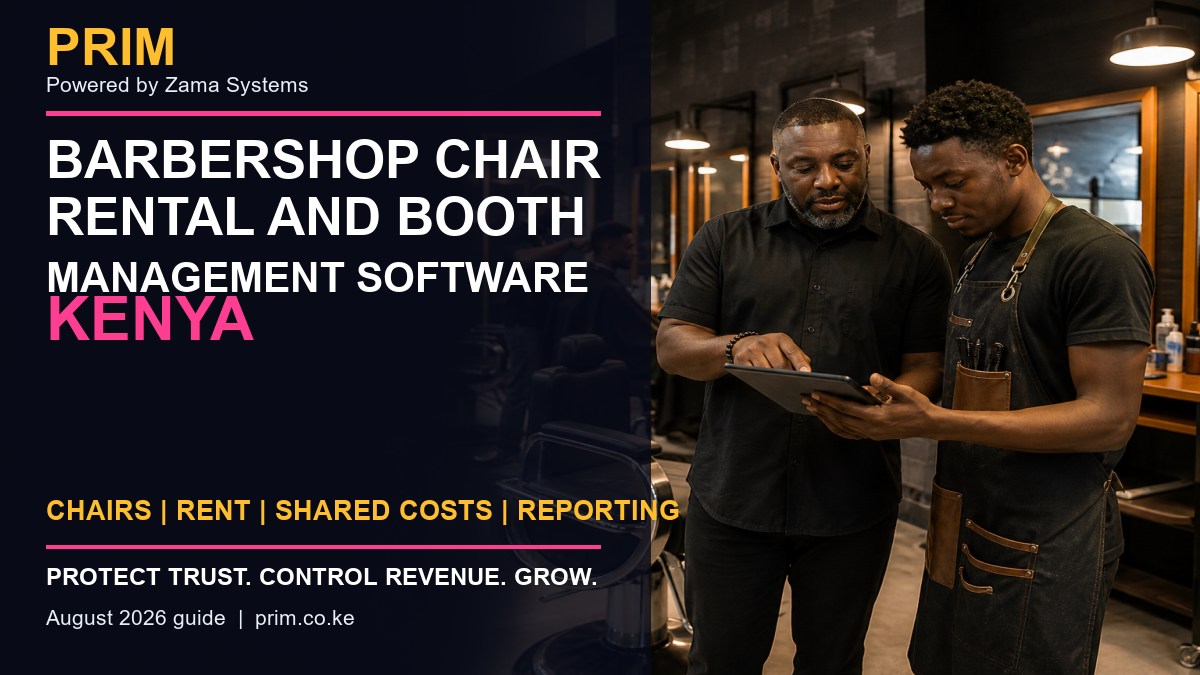
  • Barbershop Chair Rental and Booth Management Software Kenya

    Barbershop Chair Rental and Booth Management Software Kenya

    Barbershop Chair Rental and Booth Management Software Kenya is for owners who want to replace guesswork with a clear operating record. A chair-rental or booth model becomes confusing when occupancy, rent dates, shared product costs, shop services and independent barber sales are mixed together. Owners need visibility without treating every barber as an employee, while barbers need clear evidence of what they owe and what the shop provides. This guide explains the controls to look for, how to introduce them without slowing the team, and which questions to ask during a software demonstration.
    Barbershop Chair Rental and Booth Management Software Kenya
    Barbershop Chair Rental and Booth Management Software Kenya guide by PRIM, Powered by Zama Systems.

    Powered by Zama Systems. PRIM is built for Kenyan salon, spa, barber, beauty, wellness and gym workflows, including local payment habits, role-based access and practical owner reporting.

    See this workflow using your business

    Bring your current booking, payment, staff and reporting process to a PRIM demonstration. The team can show how the platform fits the way your business actually operates.

    Why owners search for Barbershop Chair Rental and Booth Management Software Kenya

    A chair-rental or booth model becomes confusing when occupancy, rent dates, shared product costs, shop services and independent barber sales are mixed together. Owners need visibility without treating every barber as an employee, while barbers need clear evidence of what they owe and what the shop provides.

    The underlying problem is disconnected records. A booking may exist in one phone, a payment on another device, a staff total in a notebook and the management report in a spreadsheet. When those records disagree, the owner spends time investigating instead of growing the business.

    What PRIM changes

    PRIM can organize chair assignments, agreed rental periods, payments, shared charges, access roles and shop-level reporting. The setup should reflect the actual commercial relationship and keep independent activity separate from central-shop transactions.

    Good software should make the correct process easier for reception and service staff while giving owners enough evidence to investigate exceptions. It should not require the owner to be physically present for every decision.

    A practical workflow to implement

    Document each agreement outside the software, assign the chair and rental cycle, record payment due dates and approved shared charges, define which sales pass through the central POS, restrict access to appropriate records, and reconcile rent without using customer-service commissions as a substitute.

    Start with clean setup

    Confirm services, prices, duration, staff roles, payment methods and approval permissions. Incorrect setup simply digitizes an existing problem.

    Train with real scenarios

    Practice a walk-in, advance booking, cancellation, reschedule, split payment, discount, refund and end-of-day mismatch. The team should understand both the normal flow and the exception process.

    Review the first four weeks

    Compare system totals with M-Pesa, cash, physical stock and attendance. Investigate differences immediately and correct training or configuration before bad habits become permanent.

    Essential features buyers should compare

    • Fast booking and checkout: staff should serve clients without unnecessary screens or duplicate entry.
    • M-Pesa and payment separation: the daily report should distinguish M-Pesa, cash, card and other methods.
    • Staff accountability: services, sales, attendance and approved changes should have a user trail.
    • Customer history: authorized staff should see visits, preferences, packages and follow-up status.
    • Stock control: retail sales, professional use, purchases and adjustments need different records.
    • Owner reporting: management should identify sales, busy periods, performance and exceptions without rebuilding spreadsheets.
    • Multi-branch readiness: growing businesses should compare branches while protecting local permissions.

    How this system protects revenue

    Revenue leakage is often a process problem: a service is not recorded, a discount has no approval, a payment cannot be matched, stock leaves without a transaction, or a renewal is never followed up. PRIM creates a connected trail from customer activity to payment and reporting.

    Owners should still maintain cash controls and reconcile external payment statements. For Kenyan tax requirements, confirm the appropriate invoicing process through the official KRA eTIMS information. For privacy responsibilities, review guidance from the Office of the Data Protection Commissioner.

    Questions to ask before buying

    • Can the system handle appointments and walk-ins together?
    • How are M-Pesa payments matched and reconciled?
    • Can managers trace discounts, refunds and edited transactions?
    • Can staff permissions be limited by role or branch?
    • How are commissions, packages or memberships calculated?
    • Can existing customer, product and service data be imported?
    • What onboarding, training, backup and support are included?

    Frequently asked questions

    Is PRIM suitable for a small business?

    Yes. A small operation can begin with booking, customers, POS and core reporting, then activate additional controls as the team grows.

    Does PRIM work for more than one branch?

    PRIM supports branch-oriented workflows. The demonstration should confirm permissions, stock movement, shared clients and consolidated reporting for your structure.

    Can staff use PRIM on a phone or tablet?

    PRIM is designed for practical digital workflows. Confirm the devices, connectivity and offline expectations at your locations during onboarding.

    Does software automatically stop theft?

    No system replaces supervision. Software improves traceability, approvals and reconciliation so suspicious differences are easier to identify and investigate.

    How quickly can we start?

    Timing depends on service setup, staff, products, opening balances, branches, integrations and training. Clean data and an accountable project owner make implementation faster.

    Related PRIM resources

    Turn the business problem into a controlled workflow

    Request a PRIM demo and test the exact process described in this guide using your team, services and payment methods.


  • Gym Personal Trainer Session Package Software Kenya

    Gym Personal Trainer Session Package Software Kenya

    Gym Personal Trainer Session Package Software Kenya is for owners who want to replace guesswork with a clear operating record. Personal training packages often fail when payment, booked sessions, completed sessions, cancellations and trainer payouts are kept in different records. Members dispute remaining balances, trainers cannot plan capacity and owners cannot confirm whether delivered sessions match revenue. This guide explains the controls to look for, how to introduce them without slowing the team, and which questions to ask during a software demonstration.

    Gym Personal Trainer Session Package Software Kenya
    Gym Personal Trainer Session Package Software Kenya guide by PRIM, Powered by Zama Systems.

    Powered by Zama Systems. PRIM is built for Kenyan salon, spa, barber, beauty, wellness and gym workflows, including local payment habits, role-based access and practical owner reporting.

    See this workflow using your business

    Bring your current booking, payment, staff and reporting process to a PRIM demonstration. The team can show how the platform fits the way your business actually operates.

    Why owners search for Gym Personal Trainer Session Package Software Kenya

    Personal training packages often fail when payment, booked sessions, completed sessions, cancellations and trainer payouts are kept in different records. Members dispute remaining balances, trainers cannot plan capacity and owners cannot confirm whether delivered sessions match revenue.

    The underlying problem is disconnected records. A booking may exist in one phone, a payment on another device, a staff total in a notebook and the management report in a spreadsheet. When those records disagree, the owner spends time investigating instead of growing the business.

    What PRIM changes

    PRIM connects each purchased package to the member, assigned trainer, booking history, attendance, remaining sessions, validity and payment record. Owners can separate a reserved session from a completed session and trace trainer compensation to verified delivery.

    Good software should make the correct process easier for reception and service staff while giving owners enough evidence to investigate exceptions. It should not require the owner to be physically present for every decision.

    A practical workflow to implement

    Define each package with session count, duration, validity and cancellation rules; book every session to a qualified trainer; mark attendance and outcome; deduct only according to policy; track expiry and low balances; and offer renewal before the final session.

    Start with clean setup

    Confirm services, prices, duration, staff roles, payment methods and approval permissions. Incorrect setup simply digitizes an existing problem.

    Train with real scenarios

    Practice a walk-in, advance booking, cancellation, reschedule, split payment, discount, refund and end-of-day mismatch. The team should understand both the normal flow and the exception process.

    Review the first four weeks

    Compare system totals with M-Pesa, cash, physical stock and attendance. Investigate differences immediately and correct training or configuration before bad habits become permanent.

    Essential features buyers should compare

    • Fast booking and checkout: staff should serve clients without unnecessary screens or duplicate entry.
    • M-Pesa and payment separation: the daily report should distinguish M-Pesa, cash, card and other methods.
    • Staff accountability: services, sales, attendance and approved changes should have a user trail.
    • Customer history: authorized staff should see visits, preferences, packages and follow-up status.
    • Stock control: retail sales, professional use, purchases and adjustments need different records.
    • Owner reporting: management should identify sales, busy periods, performance and exceptions without rebuilding spreadsheets.
    • Multi-branch readiness: growing businesses should compare branches while protecting local permissions.

    How this system protects revenue

    Revenue leakage is often a process problem: a service is not recorded, a discount has no approval, a payment cannot be matched, stock leaves without a transaction, or a renewal is never followed up. PRIM creates a connected trail from customer activity to payment and reporting.

    Owners should still maintain cash controls and reconcile external payment statements. For Kenyan tax requirements, confirm the appropriate invoicing process through the official KRA eTIMS information. For privacy responsibilities, review guidance from the Office of the Data Protection Commissioner.

    Questions to ask before buying

    • Can the system handle appointments and walk-ins together?
    • How are M-Pesa payments matched and reconciled?
    • Can managers trace discounts, refunds and edited transactions?
    • Can staff permissions be limited by role or branch?
    • How are commissions, packages or memberships calculated?
    • Can existing customer, product and service data be imported?
    • What onboarding, training, backup and support are included?

    Frequently asked questions

    Is PRIM suitable for a small business?

    Yes. A small operation can begin with booking, customers, POS and core reporting, then activate additional controls as the team grows.

    Does PRIM work for more than one branch?

    PRIM supports branch-oriented workflows. The demonstration should confirm permissions, stock movement, shared clients and consolidated reporting for your structure.

    Can staff use PRIM on a phone or tablet?

    PRIM is designed for practical digital workflows. Confirm the devices, connectivity and offline expectations at your locations during onboarding.

    Does software automatically stop theft?

    No system replaces supervision. Software improves traceability, approvals and reconciliation so suspicious differences are easier to identify and investigate.

    How quickly can we start?

    Timing depends on service setup, staff, products, opening balances, branches, integrations and training. Clean data and an accountable project owner make implementation faster.

    Related PRIM resources

    Turn the business problem into a controlled workflow

    Request a PRIM demo and test the exact process described in this guide using your team, services and payment methods.

  • Spa Gift Voucher Redemption Tracking Software Kenya

    Spa Gift Voucher Redemption Tracking Software Kenya

    Spa Gift Voucher Redemption Tracking Software Kenya is for owners who want to replace guesswork with a clear operating record. Gift vouchers bring new clients and advance cash, but paper cards and spreadsheet codes can be duplicated, lost, redeemed twice or extended without approval. Reception may also struggle to confirm the original value, remaining balance, purchaser or expiry rule. This guide explains the controls to look for, how to introduce them without slowing the team, and which questions to ask during a software demonstration.

    Spa Gift Voucher Redemption Tracking Software Kenya
    Spa Gift Voucher Redemption Tracking Software Kenya guide by PRIM, Powered by Zama Systems.

    Powered by Zama Systems. PRIM is built for Kenyan salon, spa, barber, beauty, wellness and gym workflows, including local payment habits, role-based access and practical owner reporting.

    See this workflow using your business

    Bring your current booking, payment, staff and reporting process to a PRIM demonstration. The team can show how the platform fits the way your business actually operates.

    Why owners search for Spa Gift Voucher Redemption Tracking Software Kenya

    Gift vouchers bring new clients and advance cash, but paper cards and spreadsheet codes can be duplicated, lost, redeemed twice or extended without approval. Reception may also struggle to confirm the original value, remaining balance, purchaser or expiry rule.

    The underlying problem is disconnected records. A booking may exist in one phone, a payment on another device, a staff total in a notebook and the management report in a spreadsheet. When those records disagree, the owner spends time investigating instead of growing the business.

    What PRIM changes

    PRIM connects voucher sale, unique reference, purchaser, recipient, value, redemptions, balance, expiry and approved adjustments. Reception can verify a voucher before service and management can reconcile outstanding voucher liability.

    Good software should make the correct process easier for reception and service staff while giving owners enough evidence to investigate exceptions. It should not require the owner to be physically present for every decision.

    A practical workflow to implement

    Issue every voucher through POS with a unique reference, record the purchaser and recipient details with appropriate consent, define validity and transfer rules, redeem against actual services, prevent balances below zero, and require manager approval for extensions, refunds or replacements.

    Start with clean setup

    Confirm services, prices, duration, staff roles, payment methods and approval permissions. Incorrect setup simply digitizes an existing problem.

    Train with real scenarios

    Practice a walk-in, advance booking, cancellation, reschedule, split payment, discount, refund and end-of-day mismatch. The team should understand both the normal flow and the exception process.

    Review the first four weeks

    Compare system totals with M-Pesa, cash, physical stock and attendance. Investigate differences immediately and correct training or configuration before bad habits become permanent.

    Essential features buyers should compare

    • Fast booking and checkout: staff should serve clients without unnecessary screens or duplicate entry.
    • M-Pesa and payment separation: the daily report should distinguish M-Pesa, cash, card and other methods.
    • Staff accountability: services, sales, attendance and approved changes should have a user trail.
    • Customer history: authorized staff should see visits, preferences, packages and follow-up status.
    • Stock control: retail sales, professional use, purchases and adjustments need different records.
    • Owner reporting: management should identify sales, busy periods, performance and exceptions without rebuilding spreadsheets.
    • Multi-branch readiness: growing businesses should compare branches while protecting local permissions.

    How this system protects revenue

    Revenue leakage is often a process problem: a service is not recorded, a discount has no approval, a payment cannot be matched, stock leaves without a transaction, or a renewal is never followed up. PRIM creates a connected trail from customer activity to payment and reporting.

    Owners should still maintain cash controls and reconcile external payment statements. For Kenyan tax requirements, confirm the appropriate invoicing process through the official KRA eTIMS information. For privacy responsibilities, review guidance from the Office of the Data Protection Commissioner.

    Questions to ask before buying

    • Can the system handle appointments and walk-ins together?
    • How are M-Pesa payments matched and reconciled?
    • Can managers trace discounts, refunds and edited transactions?
    • Can staff permissions be limited by role or branch?
    • How are commissions, packages or memberships calculated?
    • Can existing customer, product and service data be imported?
    • What onboarding, training, backup and support are included?

    Frequently asked questions

    Is PRIM suitable for a small business?

    Yes. A small operation can begin with booking, customers, POS and core reporting, then activate additional controls as the team grows.

    Does PRIM work for more than one branch?

    PRIM supports branch-oriented workflows. The demonstration should confirm permissions, stock movement, shared clients and consolidated reporting for your structure.

    Can staff use PRIM on a phone or tablet?

    PRIM is designed for practical digital workflows. Confirm the devices, connectivity and offline expectations at your locations during onboarding.

    Does software automatically stop theft?

    No system replaces supervision. Software improves traceability, approvals and reconciliation so suspicious differences are easier to identify and investigate.

    How quickly can we start?

    Timing depends on service setup, staff, products, opening balances, branches, integrations and training. Clean data and an accountable project owner make implementation faster.

    Related PRIM resources

    Turn the business problem into a controlled workflow

    Request a PRIM demo and test the exact process described in this guide using your team, services and payment methods.
  • Salon Client Consultation and Allergy Records Software Kenya

    Salon Client Consultation and Allergy Records Software Kenya

    Salon Client Consultation and Allergy Records Software Kenya is for owners who want to replace guesswork with a clear operating record. Salons offering colour, chemical, skin, nail and treatment services need more than a name and phone number. If sensitivities, patch-test notes, product reactions, preferences and consent remain in memory or private messages, another employee may repeat a harmful or unsuitable service. This guide explains the controls to look for, how to introduce them without slowing the team, and which questions to ask during a software demonstration.

    Salon Client Consultation and Allergy Records Software Kenya
    Salon Client Consultation and Allergy Records Software Kenya guide by PRIM, Powered by Zama Systems.

    Powered by Zama Systems. PRIM is built for Kenyan salon, spa, barber, beauty, wellness and gym workflows, including local payment habits, role-based access and practical owner reporting.

    See this workflow using your business

    Bring your current booking, payment, staff and reporting process to a PRIM demonstration. The team can show how the platform fits the way your business actually operates.

    Why owners search for Salon Client Consultation and Allergy Records Software Kenya

    Salons offering colour, chemical, skin, nail and treatment services need more than a name and phone number. If sensitivities, patch-test notes, product reactions, preferences and consent remain in memory or private messages, another employee may repeat a harmful or unsuitable service.

    The underlying problem is disconnected records. A booking may exist in one phone, a payment on another device, a staff total in a notebook and the management report in a spreadsheet. When those records disagree, the owner spends time investigating instead of growing the business.

    What PRIM changes

    PRIM keeps authorized client consultation records connected to visit history, services, employee notes and approved follow-up. Teams can check relevant warnings before treatment while owners apply permissions that protect sensitive information.

    Good software should make the correct process easier for reception and service staff while giving owners enough evidence to investigate exceptions. It should not require the owner to be physically present for every decision.

    A practical workflow to implement

    Create a standard consultation for higher-risk services, record declared sensitivities and prior reactions, document patch-test or referral decisions, capture informed consent where appropriate, restrict who can view or edit sensitive notes, and review the record before each repeat treatment.

    Start with clean setup

    Confirm services, prices, duration, staff roles, payment methods and approval permissions. Incorrect setup simply digitizes an existing problem.

    Train with real scenarios

    Practice a walk-in, advance booking, cancellation, reschedule, split payment, discount, refund and end-of-day mismatch. The team should understand both the normal flow and the exception process.

    Review the first four weeks

    Compare system totals with M-Pesa, cash, physical stock and attendance. Investigate differences immediately and correct training or configuration before bad habits become permanent.

    Essential features buyers should compare

    • Fast booking and checkout: staff should serve clients without unnecessary screens or duplicate entry.
    • M-Pesa and payment separation: the daily report should distinguish M-Pesa, cash, card and other methods.
    • Staff accountability: services, sales, attendance and approved changes should have a user trail.
    • Customer history: authorized staff should see visits, preferences, packages and follow-up status.
    • Stock control: retail sales, professional use, purchases and adjustments need different records.
    • Owner reporting: management should identify sales, busy periods, performance and exceptions without rebuilding spreadsheets.
    • Multi-branch readiness: growing businesses should compare branches while protecting local permissions.

    How this system protects revenue

    Revenue leakage is often a process problem: a service is not recorded, a discount has no approval, a payment cannot be matched, stock leaves without a transaction, or a renewal is never followed up. PRIM creates a connected trail from customer activity to payment and reporting.

    Owners should still maintain cash controls and reconcile external payment statements. For Kenyan tax requirements, confirm the appropriate invoicing process through the official KRA eTIMS information. For privacy responsibilities, review guidance from the Office of the Data Protection Commissioner.

    Questions to ask before buying

    • Can the system handle appointments and walk-ins together?
    • How are M-Pesa payments matched and reconciled?
    • Can managers trace discounts, refunds and edited transactions?
    • Can staff permissions be limited by role or branch?
    • How are commissions, packages or memberships calculated?
    • Can existing customer, product and service data be imported?
    • What onboarding, training, backup and support are included?

    Frequently asked questions

    Is PRIM suitable for a small business?

    Yes. A small operation can begin with booking, customers, POS and core reporting, then activate additional controls as the team grows.

    Does PRIM work for more than one branch?

    PRIM supports branch-oriented workflows. The demonstration should confirm permissions, stock movement, shared clients and consolidated reporting for your structure.

    Can staff use PRIM on a phone or tablet?

    PRIM is designed for practical digital workflows. Confirm the devices, connectivity and offline expectations at your locations during onboarding.

    Does software automatically stop theft?

    No system replaces supervision. Software improves traceability, approvals and reconciliation so suspicious differences are easier to identify and investigate.

    How quickly can we start?

    Timing depends on service setup, staff, products, opening balances, branches, integrations and training. Clean data and an accountable project owner make implementation faster.

    Related PRIM resources

    Turn the business problem into a controlled workflow

    Request a PRIM demo and test the exact process described in this guide using your team, services and payment methods.
  • Barbershop Cash and M-Pesa Reconciliation Software Kenya

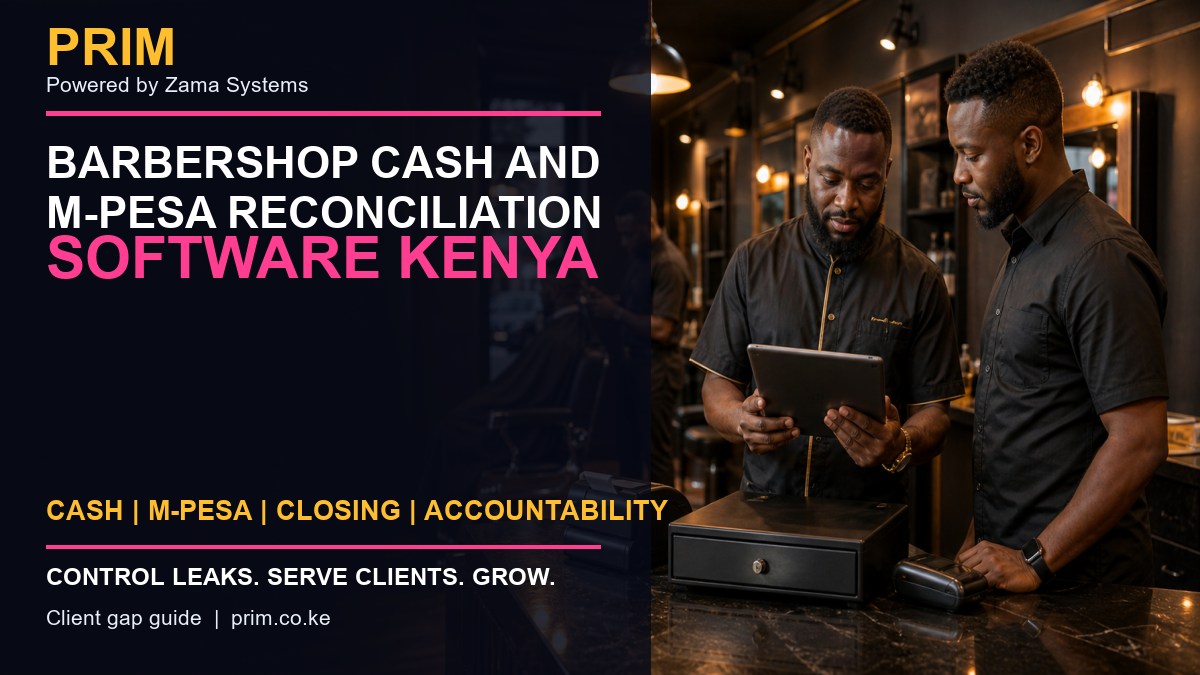
    Barbershop Cash and M-Pesa Reconciliation Software Kenya

    Barbershop Cash and M-Pesa Reconciliation Software Kenya is for owners who want to replace guesswork with a clear operating record. A busy barbershop can serve many clients and still finish the day unable to explain why cash, M-Pesa and recorded sales do not agree. Shared tills, unrecorded discounts, payment sent to personal numbers and services closed under the wrong barber create gaps. This guide explains the controls to look for, how to introduce them without slowing the team, and which questions to ask during a software demonstration.

    Barbershop Cash and M-Pesa Reconciliation Software Kenya
    Barbershop Cash and M-Pesa Reconciliation Software Kenya guide by PRIM, Powered by Zama Systems.

    Powered by Zama Systems. PRIM is built for Kenyan salon, spa, barber, beauty, wellness and gym workflows, including local payment habits, role-based access and practical owner reporting.

    See this workflow using your business

    Bring your current booking, payment, staff and reporting process to a PRIM demonstration. The team can show how the platform fits the way your business actually operates.

    Why owners search for Barbershop Cash and M-Pesa Reconciliation Software Kenya

    A busy barbershop can serve many clients and still finish the day unable to explain why cash, M-Pesa and recorded sales do not agree. Shared tills, unrecorded discounts, payment sent to personal numbers and services closed under the wrong barber create gaps.

    The underlying problem is disconnected records. A booking may exist in one phone, a payment on another device, a staff total in a notebook and the management report in a spreadsheet. When those records disagree, the owner spends time investigating instead of growing the business.

    What PRIM changes

    PRIM connects every service and product sale to the barber, approved price, payment method and closing shift. Owners can compare expected cash and M-Pesa totals, identify exceptions and investigate differences while the details are still fresh.

    Good software should make the correct process easier for reception and service staff while giving owners enough evidence to investigate exceptions. It should not require the owner to be physically present for every decision.

    A practical workflow to implement

    Open each shift with an assigned till, record every service before payment, separate cash and M-Pesa, restrict discounts and refunds, close the shift with counted cash and external payment totals, then document each variance and approval.

    Start with clean setup

    Confirm services, prices, duration, staff roles, payment methods and approval permissions. Incorrect setup simply digitizes an existing problem.

    Train with real scenarios

    Practice a walk-in, advance booking, cancellation, reschedule, split payment, discount, refund and end-of-day mismatch. The team should understand both the normal flow and the exception process.

    Review the first four weeks

    Compare system totals with M-Pesa, cash, physical stock and attendance. Investigate differences immediately and correct training or configuration before bad habits become permanent.

    Essential features buyers should compare

    • Fast booking and checkout: staff should serve clients without unnecessary screens or duplicate entry.
    • M-Pesa and payment separation: the daily report should distinguish M-Pesa, cash, card and other methods.
    • Staff accountability: services, sales, attendance and approved changes should have a user trail.
    • Customer history: authorized staff should see visits, preferences, packages and follow-up status.
    • Stock control: retail sales, professional use, purchases and adjustments need different records.
    • Owner reporting: management should identify sales, busy periods, performance and exceptions without rebuilding spreadsheets.
    • Multi-branch readiness: growing businesses should compare branches while protecting local permissions.

    How this system protects revenue

    Revenue leakage is often a process problem: a service is not recorded, a discount has no approval, a payment cannot be matched, stock leaves without a transaction, or a renewal is never followed up. PRIM creates a connected trail from customer activity to payment and reporting.

    Owners should still maintain cash controls and reconcile external payment statements. For Kenyan tax requirements, confirm the appropriate invoicing process through the official KRA eTIMS information. For privacy responsibilities, review guidance from the Office of the Data Protection Commissioner.

    Questions to ask before buying

    • Can the system handle appointments and walk-ins together?
    • How are M-Pesa payments matched and reconciled?
    • Can managers trace discounts, refunds and edited transactions?
    • Can staff permissions be limited by role or branch?
    • How are commissions, packages or memberships calculated?
    • Can existing customer, product and service data be imported?
    • What onboarding, training, backup and support are included?

    Frequently asked questions

    Is PRIM suitable for a small business?

    Yes. A small operation can begin with booking, customers, POS and core reporting, then activate additional controls as the team grows.

    Does PRIM work for more than one branch?

    PRIM supports branch-oriented workflows. The demonstration should confirm permissions, stock movement, shared clients and consolidated reporting for your structure.

    Can staff use PRIM on a phone or tablet?

    PRIM is designed for practical digital workflows. Confirm the devices, connectivity and offline expectations at your locations during onboarding.

    Does software automatically stop theft?

    No system replaces supervision. Software improves traceability, approvals and reconciliation so suspicious differences are easier to identify and investigate.

    How quickly can we start?

    Timing depends on service setup, staff, products, opening balances, branches, integrations and training. Clean data and an accountable project owner make implementation faster.

    Related PRIM resources

    Turn the business problem into a controlled workflow

    Request a PRIM demo and test the exact process described in this guide using your team, services and payment methods.

  • Gym Class Booking and Trainer Scheduling Software Kenya

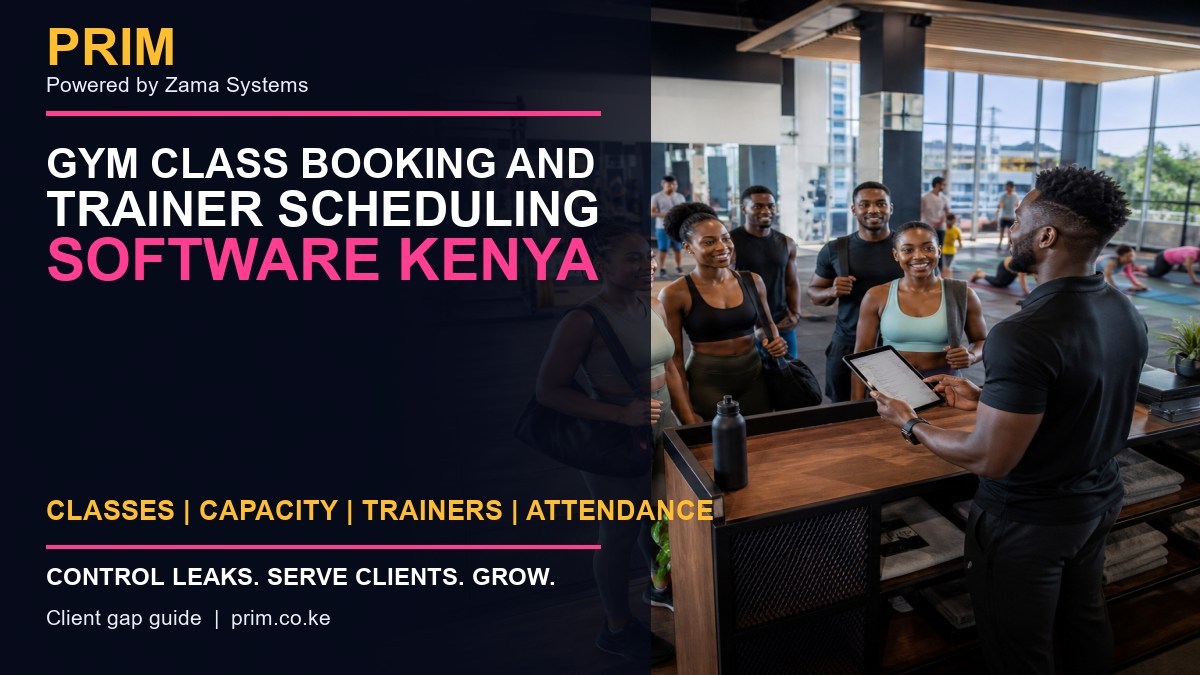
    Gym Class Booking and Trainer Scheduling Software Kenya

    Gym Class Booking and Trainer Scheduling Software Kenya is for owners who want to replace guesswork with a clear operating record. Group classes become difficult when bookings live in chats, members arrive after capacity is reached, trainers are double-booked, or management cannot tell which classes drive attendance and renewals. This guide explains the controls to look for, how to introduce them without slowing the team, and which questions to ask during a software demonstration.

    Gym Class Booking and Trainer Scheduling Software Kenya
    Gym Class Booking and Trainer Scheduling Software Kenya guide by PRIM, Powered by Zama Systems.

    Powered by Zama Systems. PRIM is built for Kenyan salon, spa, barber, beauty, wellness and gym workflows, including local payment habits, role-based access and practical owner reporting.

    See this workflow using your business

    Bring your current booking, payment, staff and reporting process to a PRIM demonstration. The team can show how the platform fits the way your business actually operates.

    Why owners search for Gym Class Booking and Trainer Scheduling Software Kenya

    Group classes become difficult when bookings live in chats, members arrive after capacity is reached, trainers are double-booked, or management cannot tell which classes drive attendance and renewals.

    The underlying problem is disconnected records. A booking may exist in one phone, a payment on another device, a staff total in a notebook and the management report in a spreadsheet. When those records disagree, the owner spends time investigating instead of growing the business.

    What PRIM changes

    PRIM gives each class a trainer, room, time, capacity, member list and attendance record. Teams can prevent overbooking, operate a waitlist, notify members of changes and compare scheduled capacity with actual attendance.

    Good software should make the correct process easier for reception and service staff while giving owners enough evidence to investigate exceptions. It should not require the owner to be physically present for every decision.

    A practical workflow to implement

    Define class capacity and eligibility, publish a consistent timetable, allow reservations and cancellations, promote the next waitlisted member when space opens, record attendance, and review occupancy by class, trainer and time slot.

    Start with clean setup

    Confirm services, prices, duration, staff roles, payment methods and approval permissions. Incorrect setup simply digitizes an existing problem.

    Train with real scenarios

    Practice a walk-in, advance booking, cancellation, reschedule, split payment, discount, refund and end-of-day mismatch. The team should understand both the normal flow and the exception process.

    Review the first four weeks

    Compare system totals with M-Pesa, cash, physical stock and attendance. Investigate differences immediately and correct training or configuration before bad habits become permanent.

    Essential features buyers should compare

    • Fast booking and checkout: staff should serve clients without unnecessary screens or duplicate entry.
    • M-Pesa and payment separation: the daily report should distinguish M-Pesa, cash, card and other methods.
    • Staff accountability: services, sales, attendance and approved changes should have a user trail.
    • Customer history: authorized staff should see visits, preferences, packages and follow-up status.
    • Stock control: retail sales, professional use, purchases and adjustments need different records.
    • Owner reporting: management should identify sales, busy periods, performance and exceptions without rebuilding spreadsheets.
    • Multi-branch readiness: growing businesses should compare branches while protecting local permissions.

    How this system protects revenue

    Revenue leakage is often a process problem: a service is not recorded, a discount has no approval, a payment cannot be matched, stock leaves without a transaction, or a renewal is never followed up. PRIM creates a connected trail from customer activity to payment and reporting.

    Owners should still maintain cash controls and reconcile external payment statements. For Kenyan tax requirements, confirm the appropriate invoicing process through the official KRA eTIMS information. For privacy responsibilities, review guidance from the Office of the Data Protection Commissioner.

    Questions to ask before buying

    • Can the system handle appointments and walk-ins together?
    • How are M-Pesa payments matched and reconciled?
    • Can managers trace discounts, refunds and edited transactions?
    • Can staff permissions be limited by role or branch?
    • How are commissions, packages or memberships calculated?
    • Can existing customer, product and service data be imported?
    • What onboarding, training, backup and support are included?

    Frequently asked questions

    Is PRIM suitable for a small business?

    Yes. A small operation can begin with booking, customers, POS and core reporting, then activate additional controls as the team grows.

    Does PRIM work for more than one branch?

    PRIM supports branch-oriented workflows. The demonstration should confirm permissions, stock movement, shared clients and consolidated reporting for your structure.

    Can staff use PRIM on a phone or tablet?

    PRIM is designed for practical digital workflows. Confirm the devices, connectivity and offline expectations at your locations during onboarding.

    Does software automatically stop theft?

    No system replaces supervision. Software improves traceability, approvals and reconciliation so suspicious differences are easier to identify and investigate.

    How quickly can we start?

    Timing depends on service setup, staff, products, opening balances, branches, integrations and training. Clean data and an accountable project owner make implementation faster.

    Related PRIM resources

    Turn the business problem into a controlled workflow

    Request a PRIM demo and test the exact process described in this guide using your team, services and payment methods.

  • Spa Therapist Utilization and Payroll Software Kenya

    Spa Therapist Utilization and Payroll Software Kenya

    Spa Therapist Utilization and Payroll Software Kenya is for owners who want to replace guesswork with a clear operating record. Spa owners may know total sales but still struggle to see paid hours, treatment hours, setup time, idle gaps and therapist contribution. Manual payroll then creates overtime errors, unfair comparisons and recurring disputes. This guide explains the controls to look for, how to introduce them without slowing the team, and which questions to ask during a software demonstration.

    Spa Therapist Utilization and Payroll Software Kenya
    Spa Therapist Utilization and Payroll Software Kenya guide by PRIM, Powered by Zama Systems.

    Powered by Zama Systems. PRIM is built for Kenyan salon, spa, barber, beauty, wellness and gym workflows, including local payment habits, role-based access and practical owner reporting.

    See this workflow using your business

    Bring your current booking, payment, staff and reporting process to a PRIM demonstration. The team can show how the platform fits the way your business actually operates.

    Why owners search for Spa Therapist Utilization and Payroll Software Kenya

    Spa owners may know total sales but still struggle to see paid hours, treatment hours, setup time, idle gaps and therapist contribution. Manual payroll then creates overtime errors, unfair comparisons and recurring disputes.

    The underlying problem is disconnected records. A booking may exist in one phone, a payment on another device, a staff total in a notebook and the management report in a spreadsheet. When those records disagree, the owner spends time investigating instead of growing the business.

    What PRIM changes

    PRIM connects therapist schedules, completed treatments, attendance, approved adjustments and commission rules. Managers can review utilization without treating every hour as identical and can trace payroll figures back to real activity.

    Good software should make the correct process easier for reception and service staff while giving owners enough evidence to investigate exceptions. It should not require the owner to be physically present for every decision.

    A practical workflow to implement

    Define working hours, breaks, treatment durations, setup time and commission rules. Require completed treatments to close through POS, review cancellations separately, approve overtime, and compare available hours with productive treatment hours before payroll.

    Start with clean setup

    Confirm services, prices, duration, staff roles, payment methods and approval permissions. Incorrect setup simply digitizes an existing problem.

    Train with real scenarios

    Practice a walk-in, advance booking, cancellation, reschedule, split payment, discount, refund and end-of-day mismatch. The team should understand both the normal flow and the exception process.

    Review the first four weeks

    Compare system totals with M-Pesa, cash, physical stock and attendance. Investigate differences immediately and correct training or configuration before bad habits become permanent.

    Essential features buyers should compare

    • Fast booking and checkout: staff should serve clients without unnecessary screens or duplicate entry.
    • M-Pesa and payment separation: the daily report should distinguish M-Pesa, cash, card and other methods.
    • Staff accountability: services, sales, attendance and approved changes should have a user trail.
    • Customer history: authorized staff should see visits, preferences, packages and follow-up status.
    • Stock control: retail sales, professional use, purchases and adjustments need different records.
    • Owner reporting: management should identify sales, busy periods, performance and exceptions without rebuilding spreadsheets.
    • Multi-branch readiness: growing businesses should compare branches while protecting local permissions.

    How this system protects revenue

    Revenue leakage is often a process problem: a service is not recorded, a discount has no approval, a payment cannot be matched, stock leaves without a transaction, or a renewal is never followed up. PRIM creates a connected trail from customer activity to payment and reporting.

    Owners should still maintain cash controls and reconcile external payment statements. For Kenyan tax requirements, confirm the appropriate invoicing process through the official KRA eTIMS information. For privacy responsibilities, review guidance from the Office of the Data Protection Commissioner.

    Questions to ask before buying

    • Can the system handle appointments and walk-ins together?
    • How are M-Pesa payments matched and reconciled?
    • Can managers trace discounts, refunds and edited transactions?
    • Can staff permissions be limited by role or branch?
    • How are commissions, packages or memberships calculated?
    • Can existing customer, product and service data be imported?
    • What onboarding, training, backup and support are included?

    Frequently asked questions

    Is PRIM suitable for a small business?

    Yes. A small operation can begin with booking, customers, POS and core reporting, then activate additional controls as the team grows.

    Does PRIM work for more than one branch?

    PRIM supports branch-oriented workflows. The demonstration should confirm permissions, stock movement, shared clients and consolidated reporting for your structure.

    Can staff use PRIM on a phone or tablet?

    PRIM is designed for practical digital workflows. Confirm the devices, connectivity and offline expectations at your locations during onboarding.

    Does software automatically stop theft?

    No system replaces supervision. Software improves traceability, approvals and reconciliation so suspicious differences are easier to identify and investigate.

    How quickly can we start?

    Timing depends on service setup, staff, products, opening balances, branches, integrations and training. Clean data and an accountable project owner make implementation faster.

    Related PRIM resources

    Turn the business problem into a controlled workflow

    Request a PRIM demo and test the exact process described in this guide using your team, services and payment methods.
  • Salon Cancellation Waitlist Software Kenya: Fill Empty Chairs Faster

    Salon Cancellation Waitlist Software Kenya: Fill Empty Chairs Faster

    Salon Cancellation Waitlist Software Kenya is for owners who want to replace guesswork with a clear operating record. A same-day cancellation can turn a valuable chair and employee hour into lost revenue. Many salons keep interested clients in WhatsApp chats or memory, so reception cannot quickly identify who wants that service, time and location. This guide explains the controls to look for, how to introduce them without slowing the team, and which questions to ask during a software demonstration.

    Salon Cancellation Waitlist Software Kenya
    Salon Cancellation Waitlist Software Kenya guide by PRIM, Powered by Zama Systems.

    Powered by Zama Systems. PRIM is built for Kenyan salon, spa, barber, beauty, wellness and gym workflows, including local payment habits, role-based access and practical owner reporting.

    See this workflow using your business

    Bring your current booking, payment, staff and reporting process to a PRIM demonstration. The team can show how the platform fits the way your business actually operates.

    Why owners search for Salon Cancellation Waitlist Software Kenya

    A same-day cancellation can turn a valuable chair and employee hour into lost revenue. Many salons keep interested clients in WhatsApp chats or memory, so reception cannot quickly identify who wants that service, time and location.

    The underlying problem is disconnected records. A booking may exist in one phone, a payment on another device, a staff total in a notebook and the management report in a spreadsheet. When those records disagree, the owner spends time investigating instead of growing the business.

    What PRIM changes

    PRIM connects cancellations to a structured waitlist with service preference, available times, preferred employee and contact consent. Reception can offer a newly opened slot to suitable clients and record whether it was accepted, declined or ignored.

    Good software should make the correct process easier for reception and service staff while giving owners enough evidence to investigate exceptions. It should not require the owner to be physically present for every decision.

    A practical workflow to implement

    Create waitlist entries with the service, acceptable days, time range and preferred stylist. When a booking is cancelled, filter suitable clients, contact them in a fair order, set a response deadline and confirm the first acceptance. Track how many cancelled hours are recovered each month.

    Start with clean setup

    Confirm services, prices, duration, staff roles, payment methods and approval permissions. Incorrect setup simply digitizes an existing problem.

    Train with real scenarios

    Practice a walk-in, advance booking, cancellation, reschedule, split payment, discount, refund and end-of-day mismatch. The team should understand both the normal flow and the exception process.

    Review the first four weeks

    Compare system totals with M-Pesa, cash, physical stock and attendance. Investigate differences immediately and correct training or configuration before bad habits become permanent.

    Essential features buyers should compare

    • Fast booking and checkout: staff should serve clients without unnecessary screens or duplicate entry.
    • M-Pesa and payment separation: the daily report should distinguish M-Pesa, cash, card and other methods.
    • Staff accountability: services, sales, attendance and approved changes should have a user trail.
    • Customer history: authorized staff should see visits, preferences, packages and follow-up status.
    • Stock control: retail sales, professional use, purchases and adjustments need different records.
    • Owner reporting: management should identify sales, busy periods, performance and exceptions without rebuilding spreadsheets.
    • Multi-branch readiness: growing businesses should compare branches while protecting local permissions.

    How this system protects revenue

    Revenue leakage is often a process problem: a service is not recorded, a discount has no approval, a payment cannot be matched, stock leaves without a transaction, or a renewal is never followed up. PRIM creates a connected trail from customer activity to payment and reporting.

    Owners should still maintain cash controls and reconcile external payment statements. For Kenyan tax requirements, confirm the appropriate invoicing process through the official KRA eTIMS information. For privacy responsibilities, review guidance from the Office of the Data Protection Commissioner.

    Questions to ask before buying

    • Can the system handle appointments and walk-ins together?
    • How are M-Pesa payments matched and reconciled?
    • Can managers trace discounts, refunds and edited transactions?
    • Can staff permissions be limited by role or branch?
    • How are commissions, packages or memberships calculated?
    • Can existing customer, product and service data be imported?
    • What onboarding, training, backup and support are included?

    Frequently asked questions

    Is PRIM suitable for a small business?

    Yes. A small operation can begin with booking, customers, POS and core reporting, then activate additional controls as the team grows.

    Does PRIM work for more than one branch?

    PRIM supports branch-oriented workflows. The demonstration should confirm permissions, stock movement, shared clients and consolidated reporting for your structure.

    Can staff use PRIM on a phone or tablet?

    PRIM is designed for practical digital workflows. Confirm the devices, connectivity and offline expectations at your locations during onboarding.

    Does software automatically stop theft?

    No system replaces supervision. Software improves traceability, approvals and reconciliation so suspicious differences are easier to identify and investigate.

    How quickly can we start?

    Timing depends on service setup, staff, products, opening balances, branches, integrations and training. Clean data and an accountable project owner make implementation faster.

    Related PRIM resources

    Turn the business problem into a controlled workflow

    Request a PRIM demo and test the exact process described in this guide using your team, services and payment methods.
  • Barbershop Customer Retention and Rebooking Software Kenya

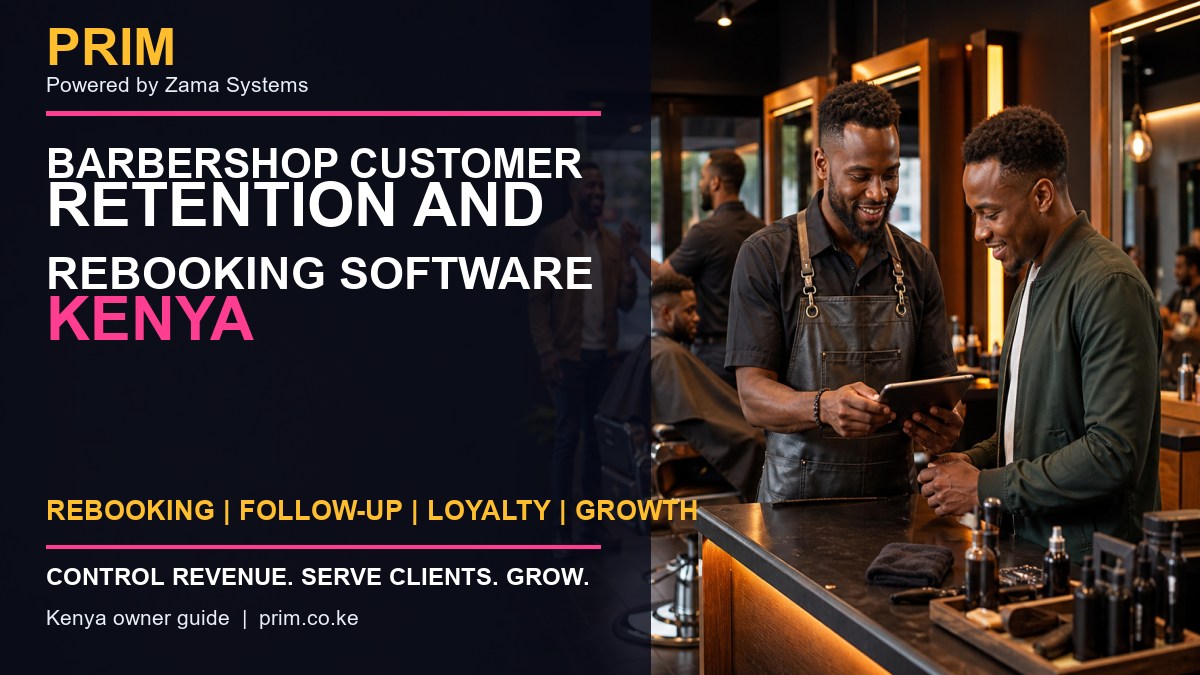
    Barbershop Customer Retention and Rebooking Software Kenya

    Barbershop Customer Retention and Rebooking Software Kenya is for owners who want to replace guesswork with a clear operating record. Many barbershops serve a client well, collect payment and then lose contact. Without visit history, preferred barber, normal haircut interval and consented follow-up, the shop waits for the customer to remember to return. This guide explains the controls to look for, how to introduce them without slowing the team, and which questions to ask during a software demonstration.

    Barbershop Customer Retention and Rebooking Software Kenya
    Barbershop Customer Retention and Rebooking Software Kenya guide by PRIM, Powered by Zama Systems.

    Powered by Zama Systems. PRIM is built for Kenyan salon, spa, barber, beauty, wellness and gym workflows, including local payment habits, role-based access and practical owner reporting.

    See this workflow using your business

    Bring your current booking, payment, staff and reporting process to a PRIM demonstration. The team can show how the platform fits the way your business actually operates.

    Why owners search for Barbershop Customer Retention and Rebooking Software Kenya

    Many barbershops serve a client well, collect payment and then lose contact. Without visit history, preferred barber, normal haircut interval and consented follow-up, the shop waits for the customer to remember to return.

    The underlying problem is disconnected records. A booking may exist in one phone, a payment on another device, a staff total in a notebook and the management report in a spreadsheet. When those records disagree, the owner spends time investigating instead of growing the business.

    What PRIM changes

    PRIM connects each visit to the client, barber, service and next recommended date. Teams can rebook at checkout, identify overdue regulars and send relevant follow-up without relying on a barber personal phone.

    Good software should make the correct process easier for reception and service staff while giving owners enough evidence to investigate exceptions. It should not require the owner to be physically present for every decision.

    A practical workflow to implement

    Ask permission to keep the client record, capture the preferred barber and usual service, offer the next appointment before checkout, and create reactivation lists based on realistic visit cycles. Measure repeat visits instead of sending the same promotion to everyone.

    Start with clean setup

    Confirm services, prices, duration, staff roles, payment methods and approval permissions. Incorrect setup simply digitizes an existing problem.

    Train with real scenarios

    Practice a walk-in, advance booking, cancellation, reschedule, split payment, discount, refund and end-of-day mismatch. The team should understand both the normal flow and the exception process.

    Review the first four weeks

    Compare system totals with M-Pesa, cash, physical stock and attendance. Investigate differences immediately and correct training or configuration before bad habits become permanent.

    Essential features buyers should compare

    • Fast booking and checkout: staff should serve clients without unnecessary screens or duplicate entry.
    • M-Pesa and payment separation: the daily report should distinguish M-Pesa, cash, card and other methods.
    • Staff accountability: services, sales, attendance and approved changes should have a user trail.
    • Customer history: authorized staff should see visits, preferences, packages and follow-up status.
    • Stock control: retail sales, professional use, purchases and adjustments need different records.
    • Owner reporting: management should identify sales, busy periods, performance and exceptions without rebuilding spreadsheets.
    • Multi-branch readiness: growing businesses should compare branches while protecting local permissions.

    How this system protects revenue

    Revenue leakage is often a process problem: a service is not recorded, a discount has no approval, a payment cannot be matched, stock leaves without a transaction, or a renewal is never followed up. PRIM creates a connected trail from customer activity to payment and reporting.

    Owners should still maintain cash controls and reconcile external payment statements. For Kenyan tax requirements, confirm the appropriate invoicing process through the official KRA eTIMS information. For privacy responsibilities, review guidance from the Office of the Data Protection Commissioner.

    Questions to ask before buying

    • Can the system handle appointments and walk-ins together?
    • How are M-Pesa payments matched and reconciled?
    • Can managers trace discounts, refunds and edited transactions?
    • Can staff permissions be limited by role or branch?
    • How are commissions, packages or memberships calculated?
    • Can existing customer, product and service data be imported?
    • What onboarding, training, backup and support are included?

    Frequently asked questions

    Is PRIM suitable for a small business?

    Yes. A small operation can begin with booking, customers, POS and core reporting, then activate additional controls as the team grows.

    Does PRIM work for more than one branch?

    PRIM supports branch-oriented workflows. The demonstration should confirm permissions, stock movement, shared clients and consolidated reporting for your structure.

    Can staff use PRIM on a phone or tablet?

    PRIM is designed for practical digital workflows. Confirm the devices, connectivity and offline expectations at your locations during onboarding.

    Does software automatically stop theft?

    No system replaces supervision. Software improves traceability, approvals and reconciliation so suspicious differences are easier to identify and investigate.

    How quickly can we start?

    Timing depends on service setup, staff, products, opening balances, branches, integrations and training. Clean data and an accountable project owner make implementation faster.

    Related PRIM resources

    Turn the business problem into a controlled workflow

    Request a PRIM demo and test the exact process described in this guide using your team, services and payment methods.

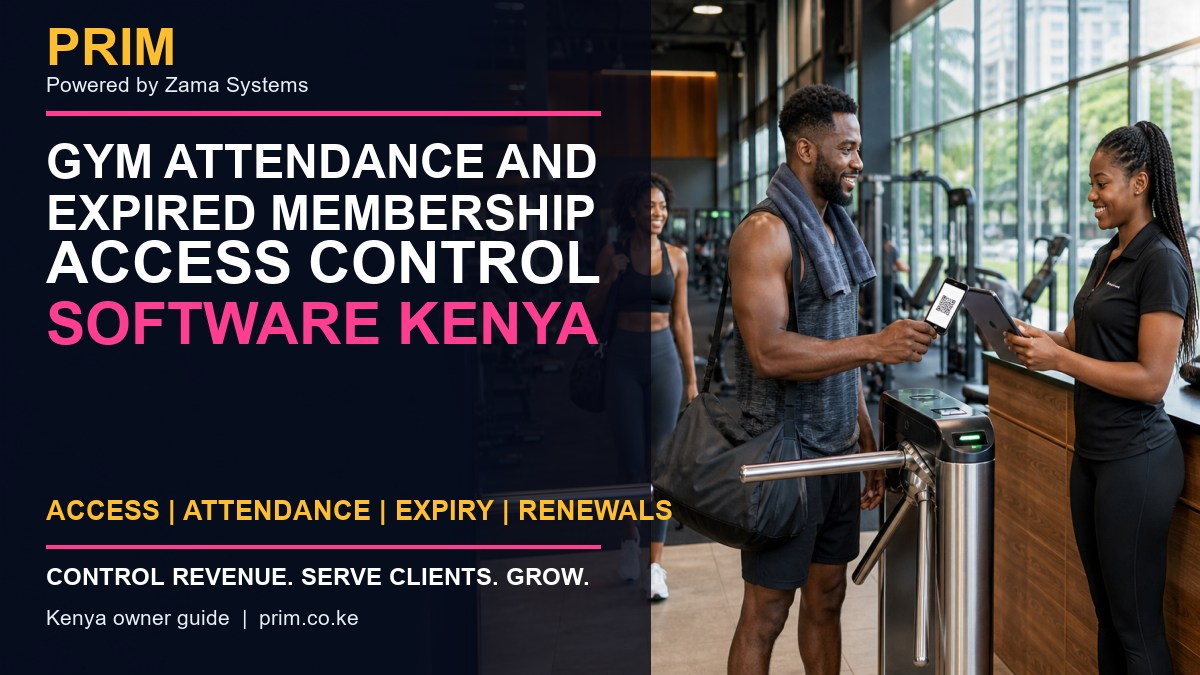
  • Gym Attendance and Expired Membership Access Control Software Kenya

    Gym Attendance and Expired Membership Access Control Software Kenya

    Gym Attendance and Expired Membership Access Control Software Kenya is for owners who want to replace guesswork with a clear operating record. A gym may collect membership fees correctly but still lose revenue when expired members enter because reception cannot check status quickly, friends share access, or attendance sits in a separate device with no billing connection. This guide explains the controls to look for, how to introduce them without slowing the team, and which questions to ask during a software demonstration.

    Gym Attendance and Expired Membership Access Control Software Kenya
    Gym Attendance and Expired Membership Access Control Software Kenya guide by PRIM, Powered by Zama Systems.

    Powered by Zama Systems. PRIM is built for Kenyan salon, spa, barber, beauty, wellness and gym workflows, including local payment habits, role-based access and practical owner reporting.

    See this workflow using your business

    Bring your current booking, payment, staff and reporting process to a PRIM demonstration. The team can show how the platform fits the way your business actually operates.

    Why owners search for Gym Attendance and Expired Membership Access Control Software Kenya

    A gym may collect membership fees correctly but still lose revenue when expired members enter because reception cannot check status quickly, friends share access, or attendance sits in a separate device with no billing connection.

    The underlying problem is disconnected records. A booking may exist in one phone, a payment on another device, a staff total in a notebook and the management report in a spreadsheet. When those records disagree, the owner spends time investigating instead of growing the business.

    What PRIM changes

    PRIM brings membership status, expiry date, payment record and attendance into one controlled check-in workflow. Staff can welcome active members quickly, route expired members to renewal and give managers evidence when access exceptions occur.

    Good software should make the correct process easier for reception and service staff while giving owners enough evidence to investigate exceptions. It should not require the owner to be physically present for every decision.

    A practical workflow to implement

    Assign every member a unique profile, connect the approved check-in method, define grace-period and guest rules, prevent shared identifiers, and reconcile daily access attempts with active memberships. Review denied entries and manual overrides by user.

    Start with clean setup

    Confirm services, prices, duration, staff roles, payment methods and approval permissions. Incorrect setup simply digitizes an existing problem.

    Train with real scenarios

    Practice a walk-in, advance booking, cancellation, reschedule, split payment, discount, refund and end-of-day mismatch. The team should understand both the normal flow and the exception process.

    Review the first four weeks

    Compare system totals with M-Pesa, cash, physical stock and attendance. Investigate differences immediately and correct training or configuration before bad habits become permanent.

    Essential features buyers should compare

    • Fast booking and checkout: staff should serve clients without unnecessary screens or duplicate entry.
    • M-Pesa and payment separation: the daily report should distinguish M-Pesa, cash, card and other methods.
    • Staff accountability: services, sales, attendance and approved changes should have a user trail.
    • Customer history: authorized staff should see visits, preferences, packages and follow-up status.
    • Stock control: retail sales, professional use, purchases and adjustments need different records.
    • Owner reporting: management should identify sales, busy periods, performance and exceptions without rebuilding spreadsheets.
    • Multi-branch readiness: growing businesses should compare branches while protecting local permissions.

    How this system protects revenue

    Revenue leakage is often a process problem: a service is not recorded, a discount has no approval, a payment cannot be matched, stock leaves without a transaction, or a renewal is never followed up. PRIM creates a connected trail from customer activity to payment and reporting.

    Owners should still maintain cash controls and reconcile external payment statements. For Kenyan tax requirements, confirm the appropriate invoicing process through the official KRA eTIMS information. For privacy responsibilities, review guidance from the Office of the Data Protection Commissioner.

    Questions to ask before buying

    • Can the system handle appointments and walk-ins together?
    • How are M-Pesa payments matched and reconciled?
    • Can managers trace discounts, refunds and edited transactions?
    • Can staff permissions be limited by role or branch?
    • How are commissions, packages or memberships calculated?
    • Can existing customer, product and service data be imported?
    • What onboarding, training, backup and support are included?

    Frequently asked questions

    Is PRIM suitable for a small business?

    Yes. A small operation can begin with booking, customers, POS and core reporting, then activate additional controls as the team grows.

    Does PRIM work for more than one branch?

    PRIM supports branch-oriented workflows. The demonstration should confirm permissions, stock movement, shared clients and consolidated reporting for your structure.

    Can staff use PRIM on a phone or tablet?

    PRIM is designed for practical digital workflows. Confirm the devices, connectivity and offline expectations at your locations during onboarding.

    Does software automatically stop theft?

    No system replaces supervision. Software improves traceability, approvals and reconciliation so suspicious differences are easier to identify and investigate.

    How quickly can we start?

    Timing depends on service setup, staff, products, opening balances, branches, integrations and training. Clean data and an accountable project owner make implementation faster.

    Related PRIM resources

    Turn the business problem into a controlled workflow

    Request a PRIM demo and test the exact process described in this guide using your team, services and payment methods.